Back to work

Compass · Case study

Listing Cards

Buyers wanted to browse photos before committing to a listing page. I redesigned the mobile card to put photos, favorites, and sharing upfront.

Role
Senior Product Designer
Team
2 designers, 1 researcher, 2 PMs
Timeline
4 months to MVP, from February 2022
Platform
iOS, Android, Web
63%weekly increase in tour requests in the first month on iOS
18new accounts a day from the like and dislike buttons

The problem

Buyers preferred our competitors’ cards

About 85% of Compass visitors land on a listing page before they sign up, request a tour or message an agent. But the decision to open one is made on the card, in search and in saved homes.

A usability test for another project surfaced problems with our cards, and a follow-up survey confirmed them: buyers preferred browsing on competitor sites. Our cards were harder to read, missed actions like share and dislike, and on iOS and Android you couldn’t see more photos without opening the listing.

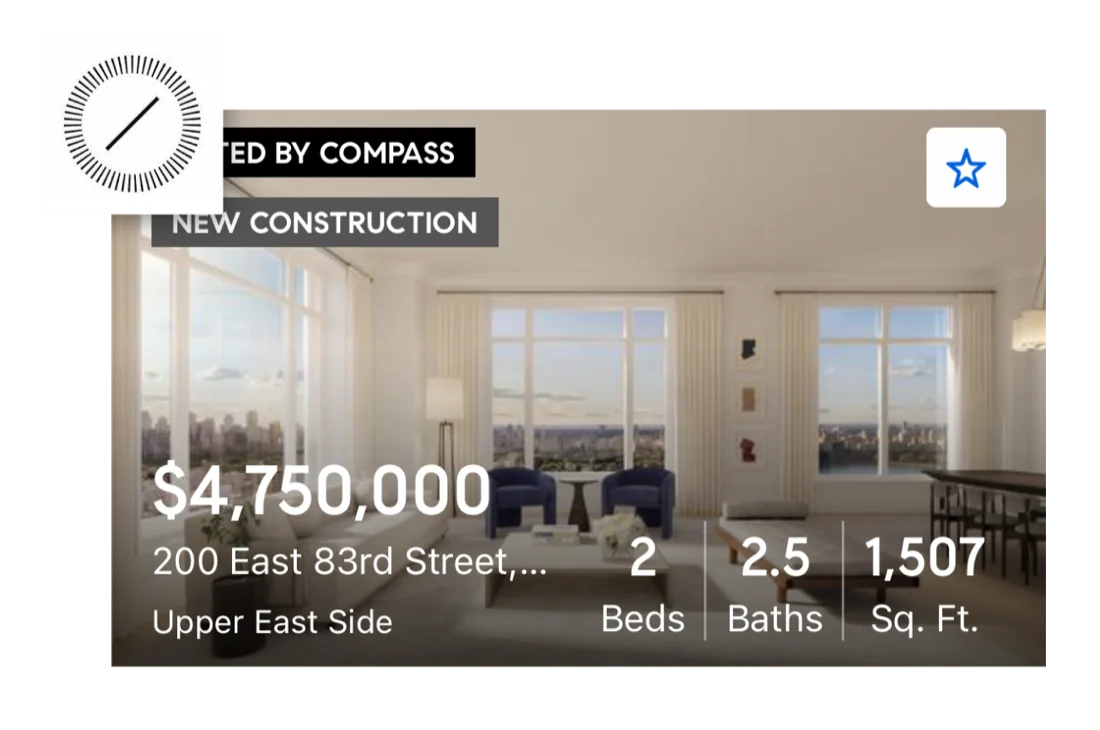
Before: the old Compass listing card, with price, address and details printed over the photo and a single favorite star
Before: text over the photo, and a star as the only action

Key decisions

Parity first, then clarity

Close the gaps competitors had already closed

What we learned
Competitors kept text off the photo so it read cleanly, let you share and contact an agent from the card, and let you flip through photos in place.
What I did
Set three goals from the audit: fill those gaps, add what buyers asked for (dislike, tour requests, lot size), and clean up the layout so it reads at a glance.
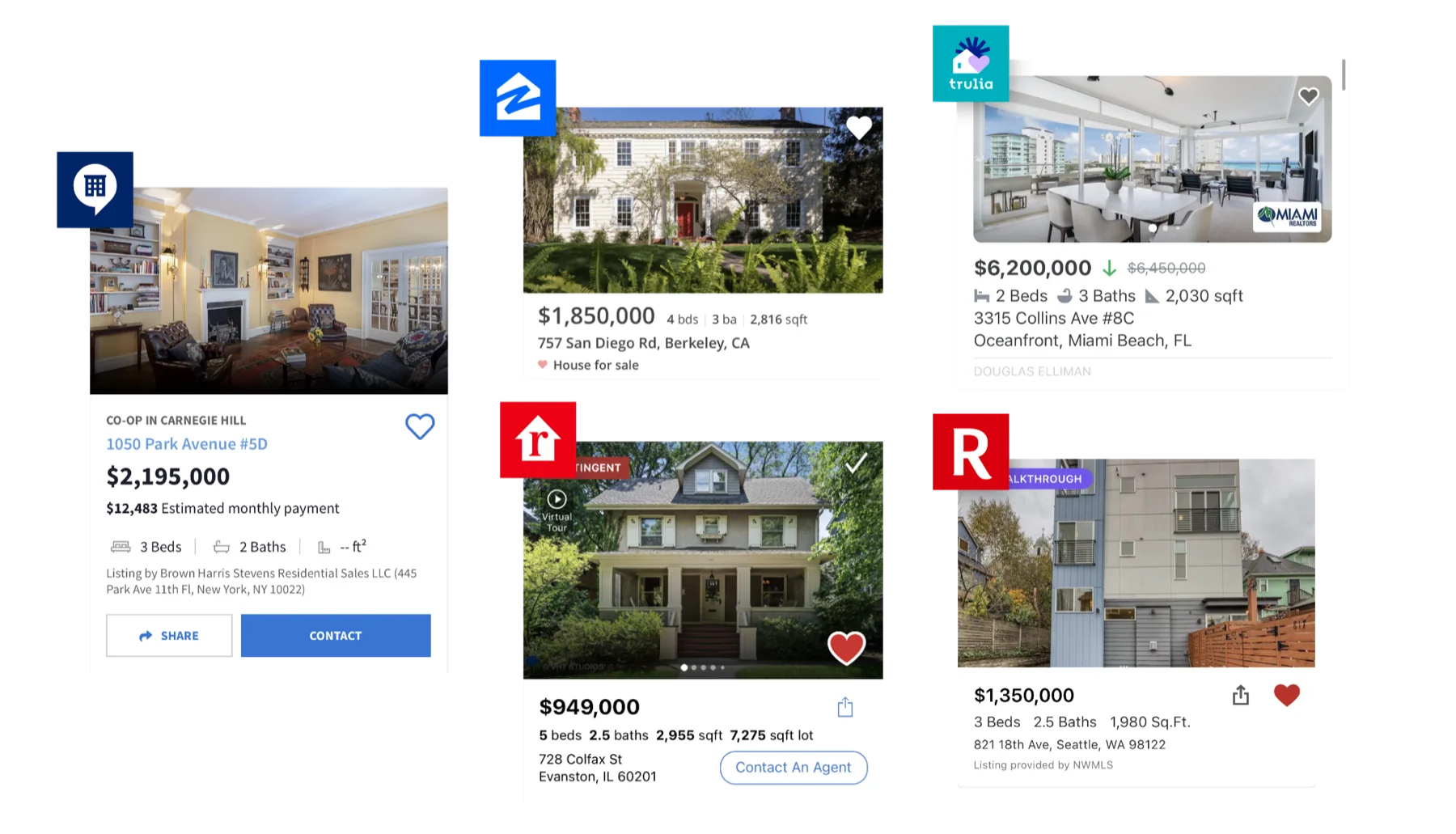
Compass's listing card on iOS beside cards from top competitors
Compass against its top competitors on iOS

One card, two moments

What we learned
Someone browsing search and a client reviewing saved homes want different things from the same card. Our goal was to turn the first into the second.
What I did
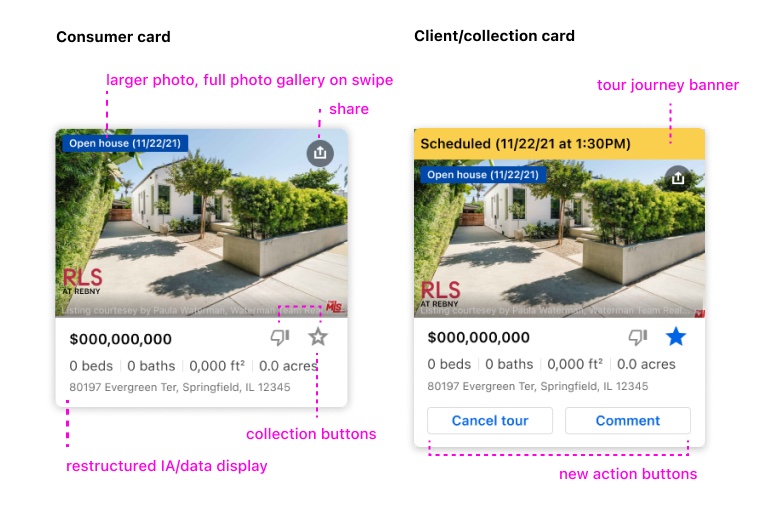
A Consumer card that pushes saving, sharing and signing up, and a Client card, in collections, that pushes requesting a tour and talking to an agent.
The Consumer card and the Client card side by side, annotated: larger photo with swipeable gallery, share, collection buttons, restructured details, a tour banner and new action buttons
The Consumer card, and the Client card with its tour banner and actions

Bigger photos, and words over icons

What we learned
In rounds of A/B tests, buyers chose a bigger photo even if the card grew, and found “Request a tour” clearer than an icon. They wanted disliked homes gone from search, and to follow a tour once requested.
What I did
Enlarged the photo, lined the facts up in one row, spelled out the tour actions, sent disliked homes to a Not interested list, and added a banner that tracks the tour.
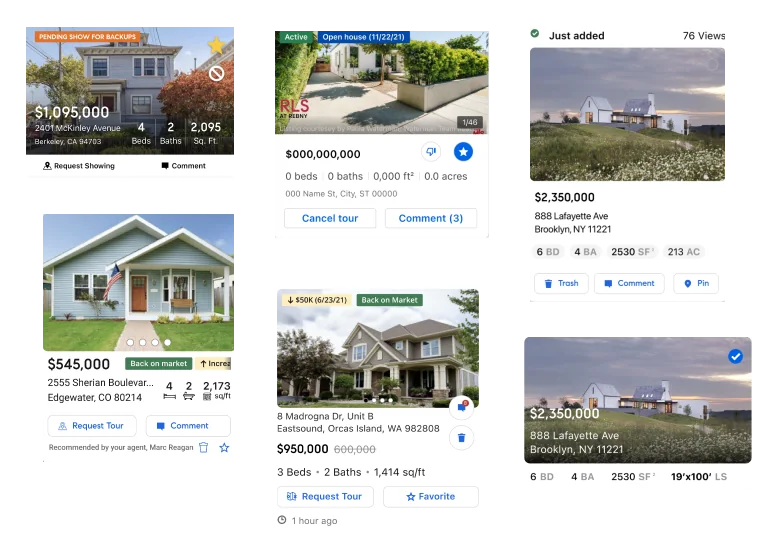
Six versions of the listing card explored during testing
Versions of the card through testing

The solution

Photos first, actions on the card

We soft-launched on iOS and Android with connected clients first. Two weeks of data turned up three quick fixes, all in the working card below.

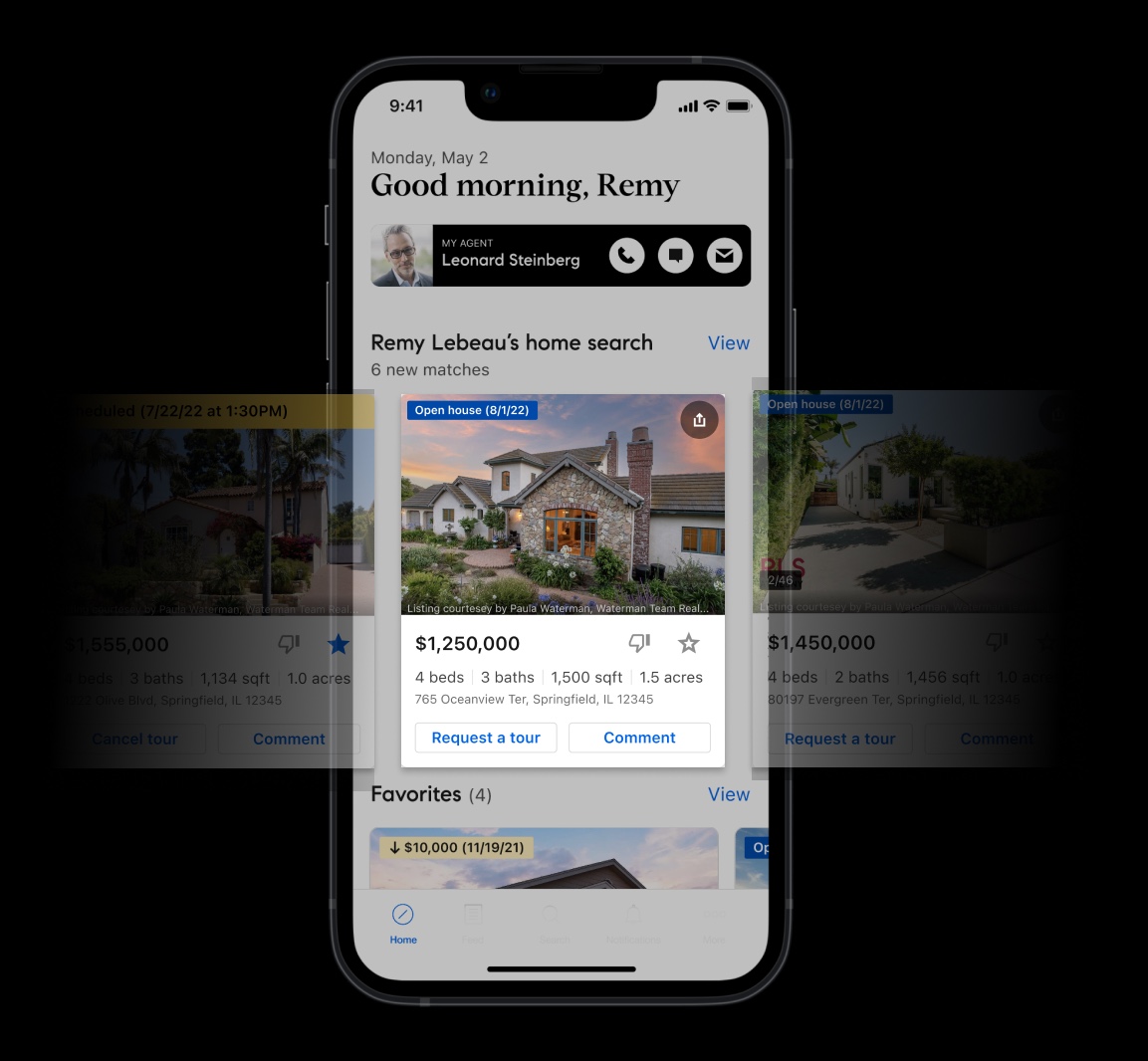
Open house (8/1/22) 1/8
$1,250,000

4 beds3 baths1,500 sqft1.5 acres

765 Oceanview Terrace West, Unit 4B, Springfield Heights, IL 12345

  • Swipe, not tap, to browse photos: tapping clashed with opening the listing.
  • A photo counter shows there’s more to see, then fades after 5 seconds.
  • Addresses shorten in the middle, so the zip code always shows.
  • Try it: swipe the photos, like, dislike, then switch to the Client card and request a tour
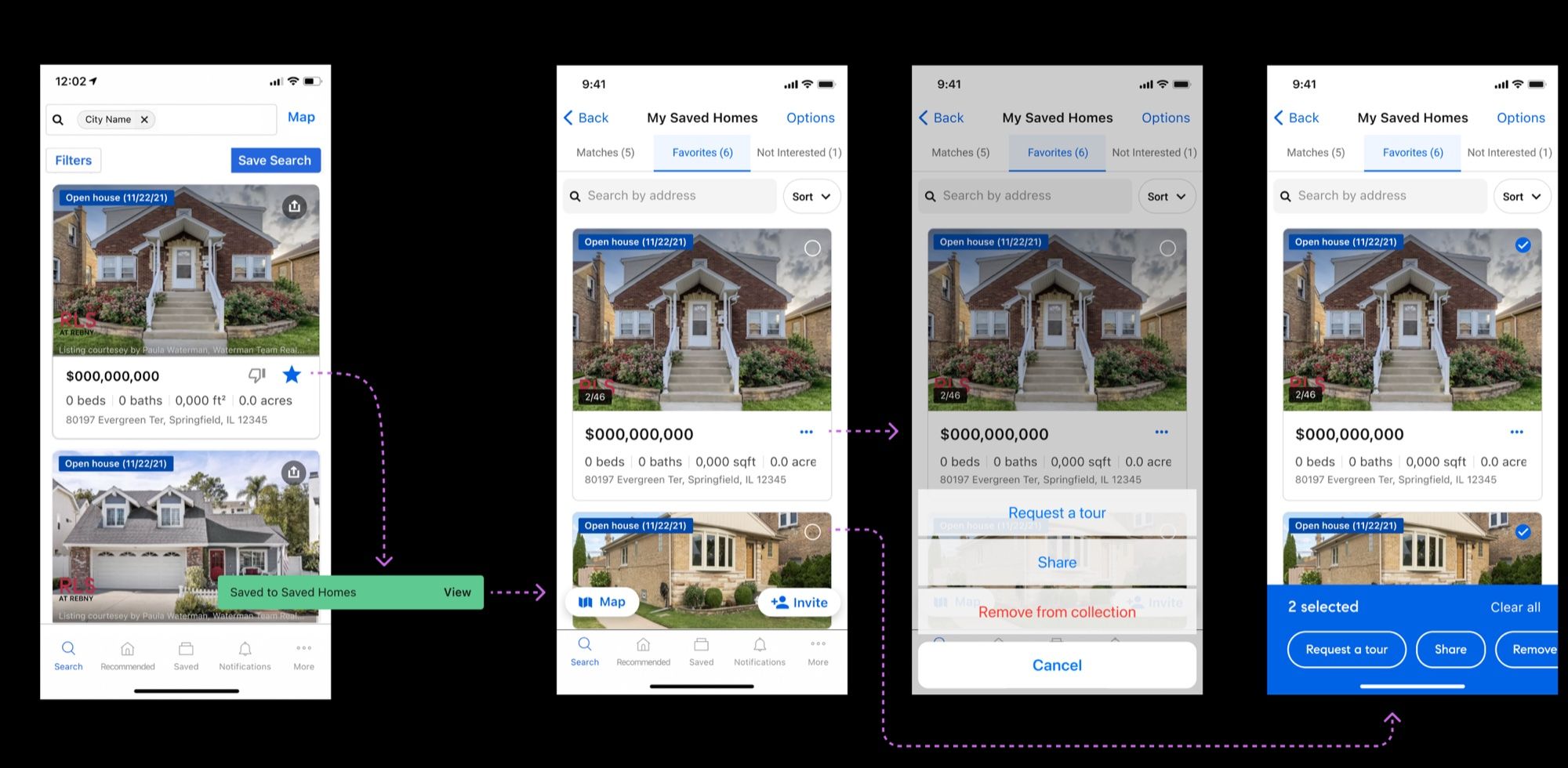
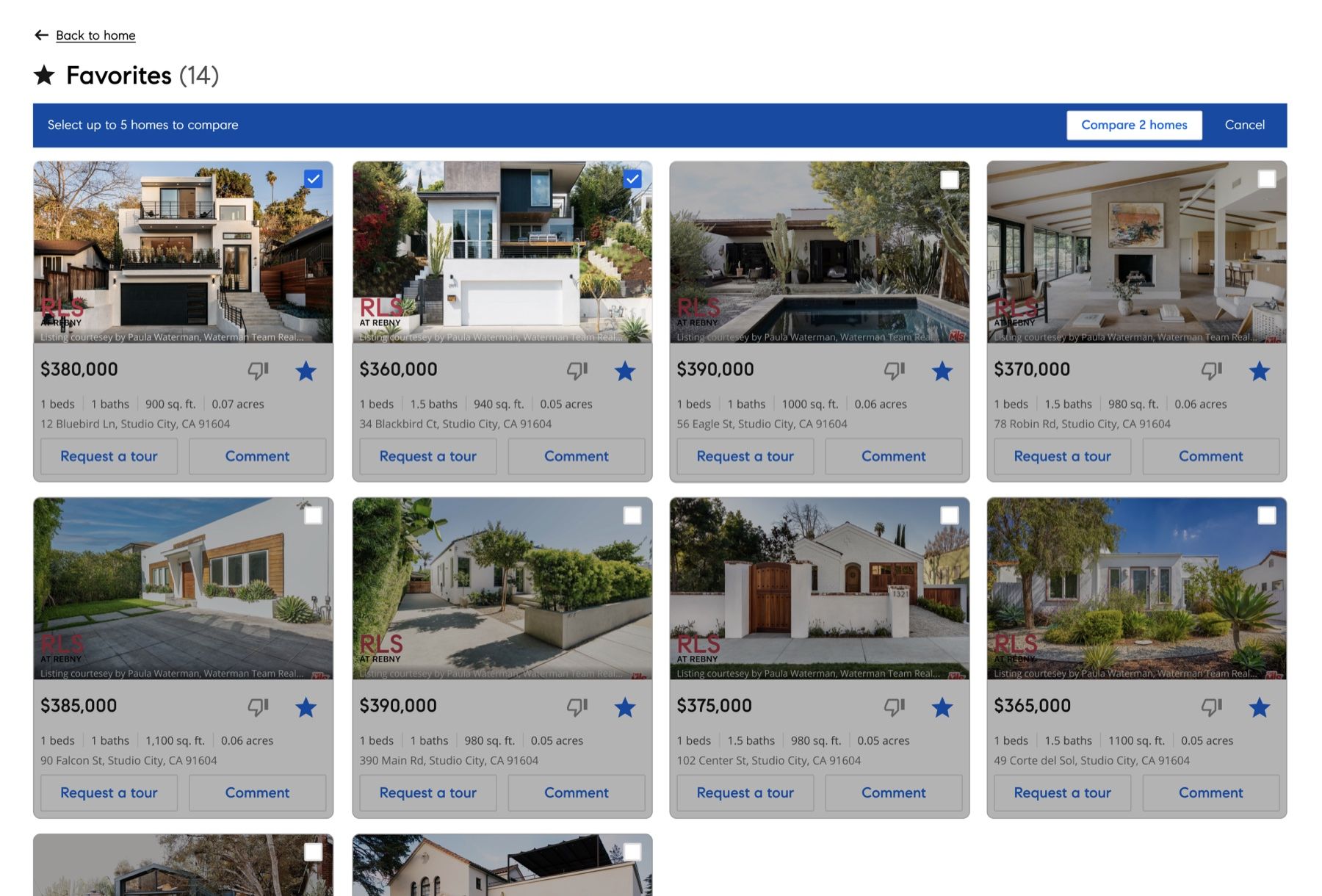
iOS flow: liking a home in search saves it to Saved Homes, where a menu and bulk selection request tours, share or remove homes
After launch, card actions moved into the bottom sheet, with bulk select in saved homes
The web collections page, with several saved homes selected and a universal action bar
On web, a universal action bar acts on several saved homes at once

Impact & reflection

More tours, more accounts

The new cards launched to universally positive feedback from clients. In the first month on iOS, the like and dislike buttons brought in 18 new accounts a day, and tour requests rose 63% week over week. Since then, StreetEasy and Zillow have both added swipeable photo carousels to their own cards.

Next, I’d keep simplifying the card. Tour requests and sharing belong in the universal action bar, where they work across many homes, leaving the card to show the home itself.

End of case studyBack to top ↑