Back to work

Compass · Case study

Listing Presentations

A tool for agents to customize, preview, and save printable listing templates, surfacing only what matters from dense MLS data.

Role
Senior Product Designer
Team
2 designers, 1 researcher, 2 PMs
Timeline
3 months, from July 2021
Platform
Web
500unique listing page sessions a day since launch, with agent listing page views rising steadily
3clicks from a listing page to a printed document
“I can’t tell you how much easier this makes my job.”
Sheri, an agent in Boston

The problem

Agents were leaving Compass to print

Agents still run on paper: listing records go to showings, inspections and signings. When one agent mentioned in a test how little they could print, we surveyed 60 agents across 5 regions. About 80% had left Compass to print from their MLS in the past three months.

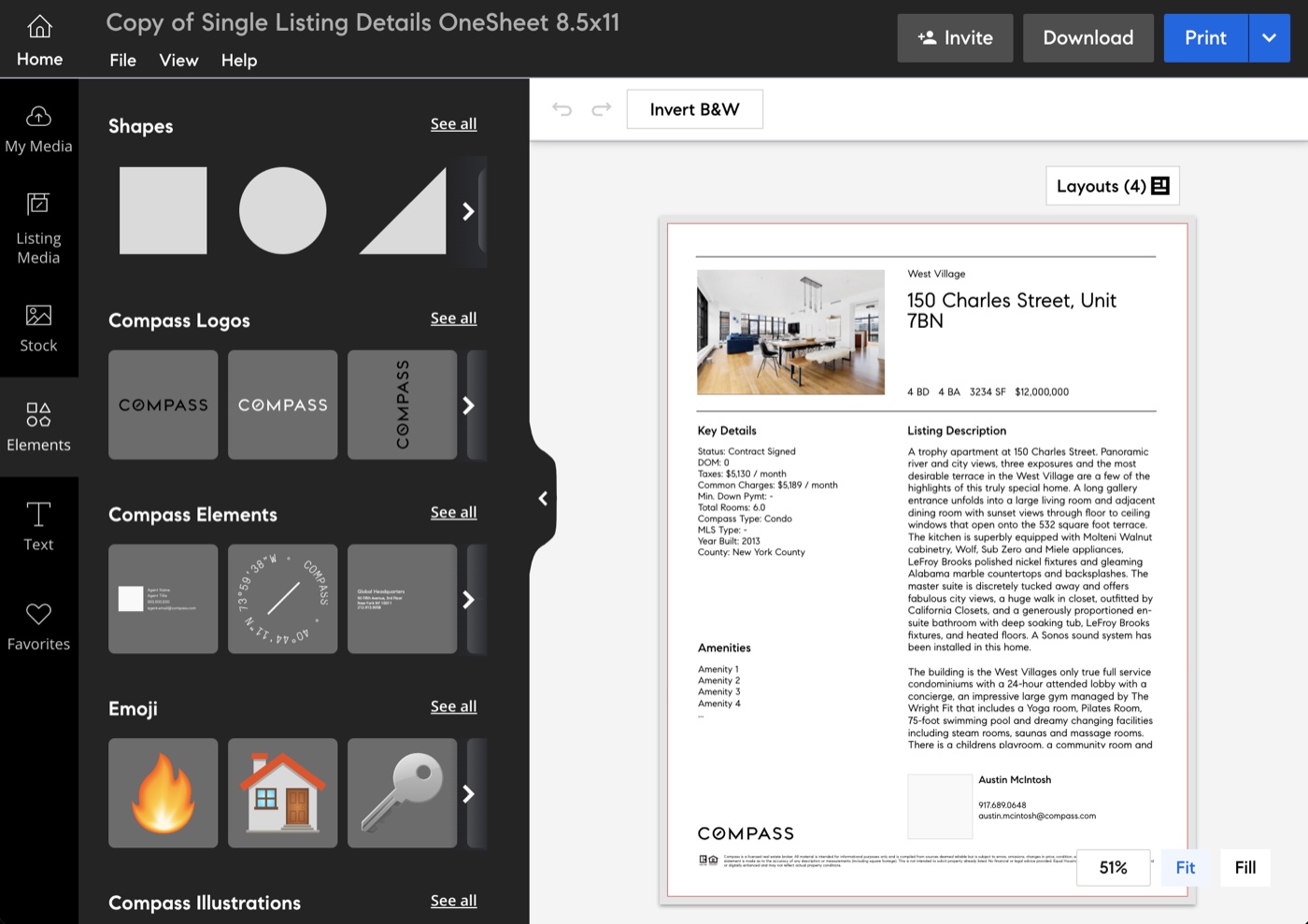
Compass’s only print option was Marketing Center, a flyer editor that was hard to find from a listing and didn’t hold enough property information. So agents kept two windows open, cross-referencing Compass and the MLS.

Before: Compass Marketing Center, a flyer editor, used to print a single listing
Before: printing a listing meant a detour through Marketing Center, a flyer editor

Key decisions

Familiar first, then flexible

Print where agents already are

What we learned
In 15 interviews across 5 regions, agents showed us how the MLS puts Print right on the listing page. On Compass it was hidden, and sent them to another product.
What I did
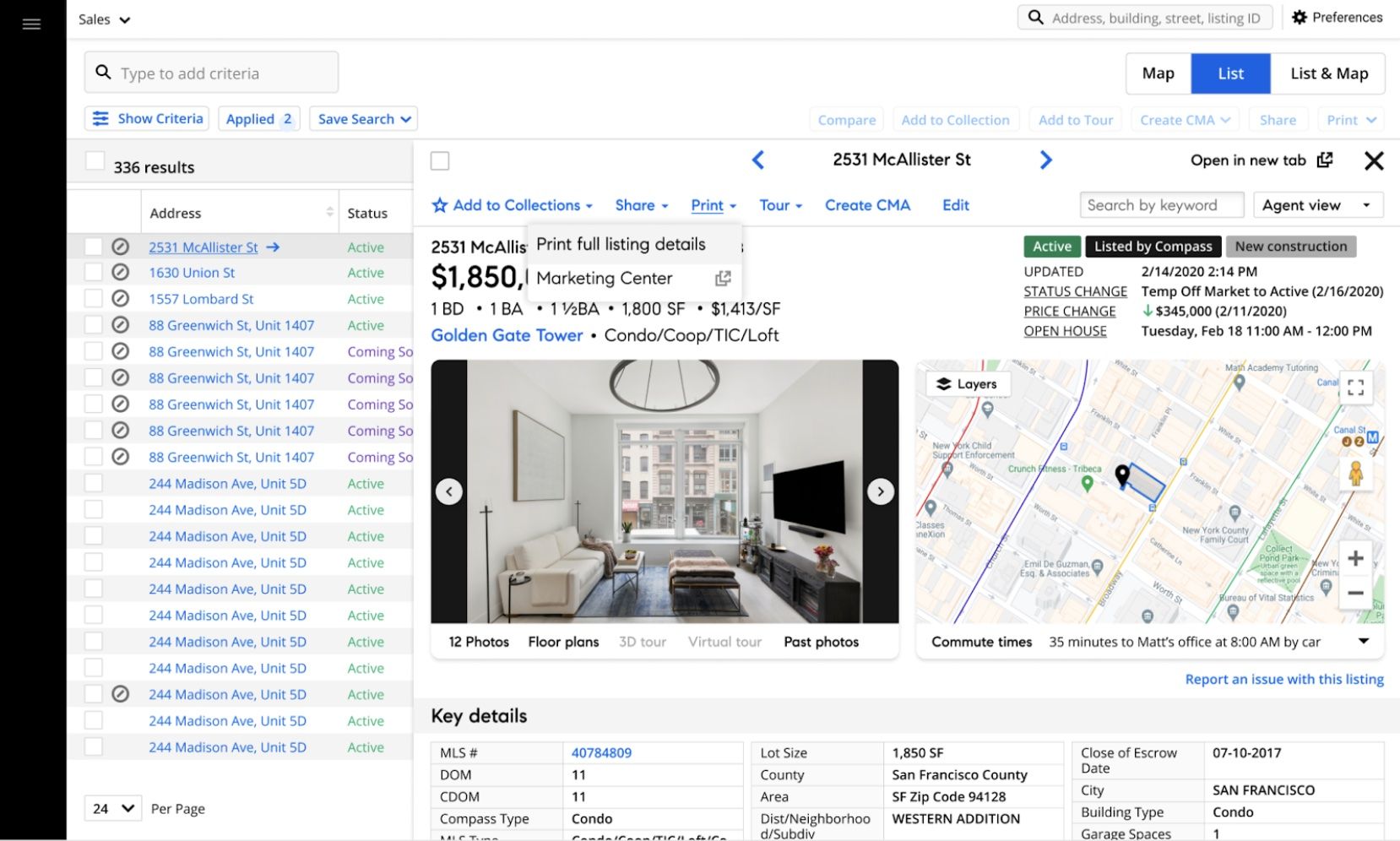
Added “Print full listing details” to the Print menu agents already knew, on the listing page and in search, where they can select several homes at once.
A Compass listing page with the Print menu open, offering Print full listing details
Print, from the listing page itself

Two templates, built from what agents used

What we learned
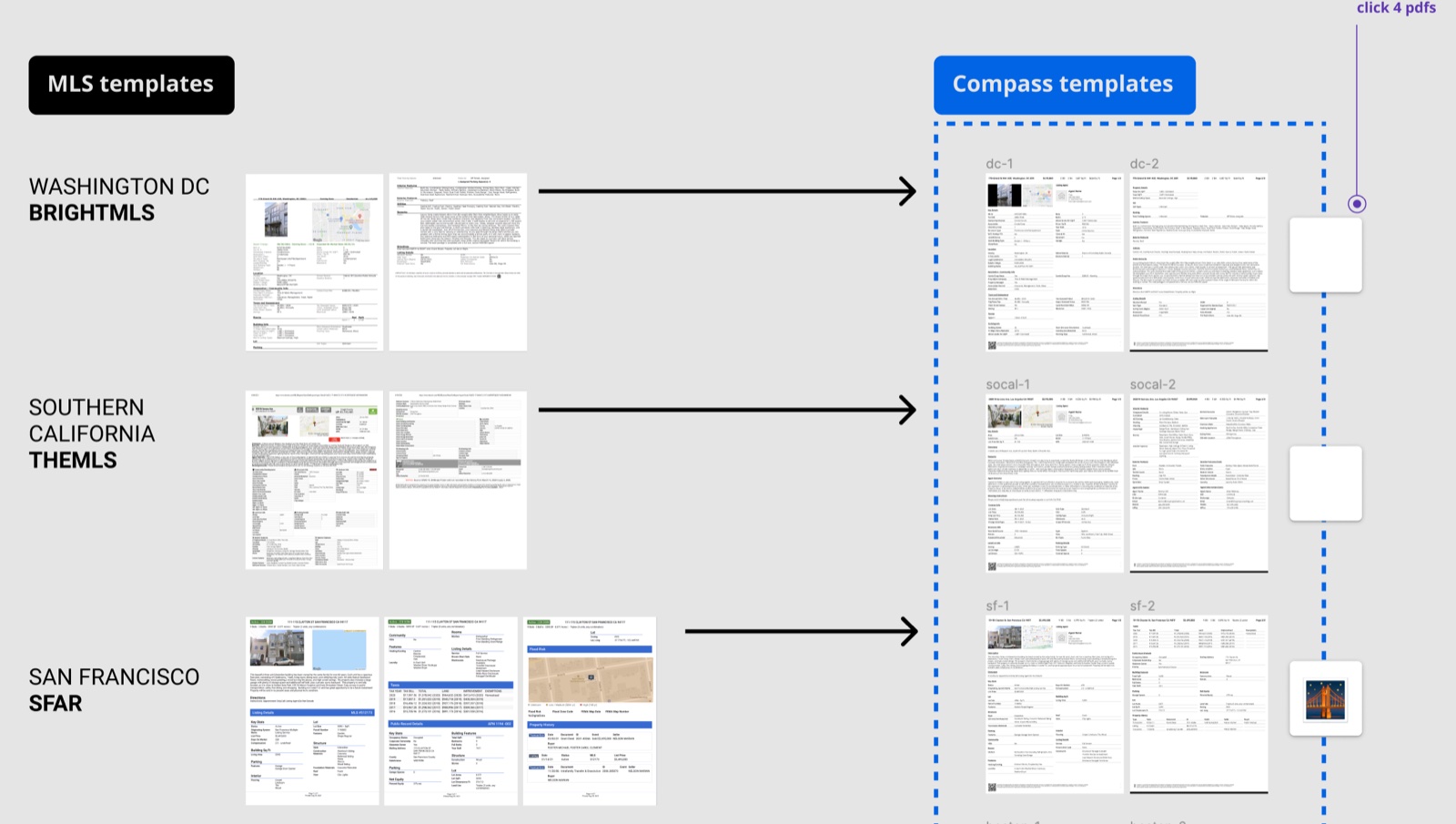
Agents used only 2 or 3 MLS templates: an agent version with private remarks and showing instructions, and a client version. Ours were hard to read and too thin.
What I did
A Client and an Agent template that follow the listing page’s order, stay readable, and fit on two pages. It took 10 rounds, and a lot of printer ink.
MLS templates from three regions compared with the new Compass templates
MLS templates from three regions, against the new Compass templates

Keep customizing out of the way

What we learned
In 9 usability sessions, a wall of checkboxes distracted agents who just wanted to print. As one put it: “I’m in quick print.”
What I did
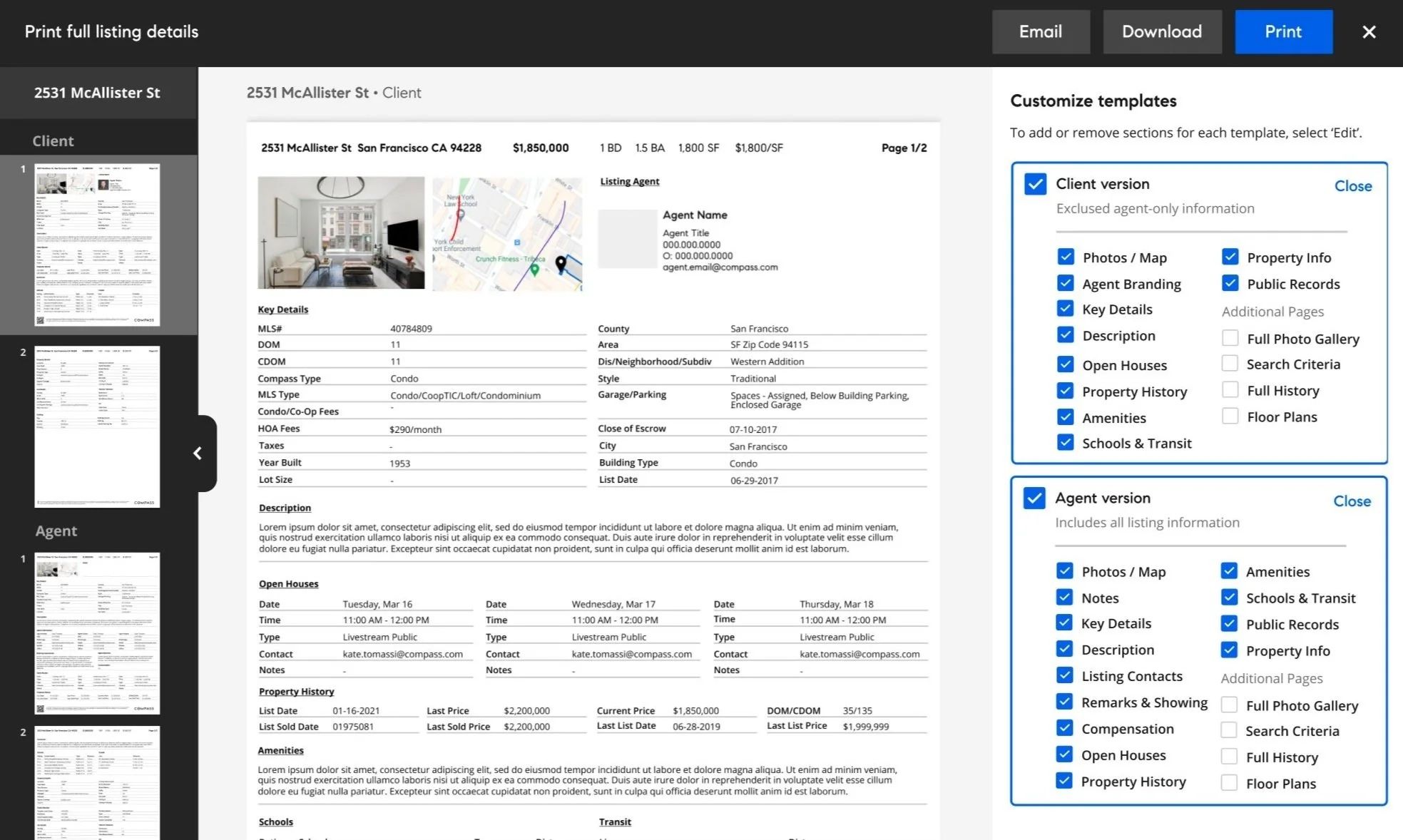
The panel opens on the template choice. Adding or removing sections sits behind an Edit toggle, and the preview updates as you go.

The solution

From listing to paper in three clicks

One print modal: pick a template, tailor it if you want, and print, download or email it. Agents in the final round called it as good as their MLS, or better.

Print full listing details
2531 McAllister St • Client
2531 McAllister StSan Francisco CA 94228$1,850,0001 BD · 1.5 BA · 1,800 SFPage 1/2
Listing AgentAgent NameAgent Title · agent.email@compass.com
COMPASS Agent branding
Notes
Key Details
MLS#40784809CountySan FranciscoDOM11AreaSF Zip Code 94115Compass TypeCondoStyleTraditionalHOA Fees$290/monthYear Built1953
Description
Listing Contacts
Remarks & Showing
Compensation
Open Houses
Tue, Mar 16Wed, Mar 17Thu, Mar 1811:00 AM – 12:00 PM11:00 AM – 12:00 PM11:00 AM – 12:00 PM
Property History
List Date01-16-2021Current Price$1,850,000Last Price$2,200,000DOM/CDOM35/135
Amenities
Schools & Transit
Customize templates

To add or remove sections for each template, select ‘Edit’.

Excludes agent-only information
Includes all listing information
Try it: switch templates, then select Edit to add or remove sections and watch the page change
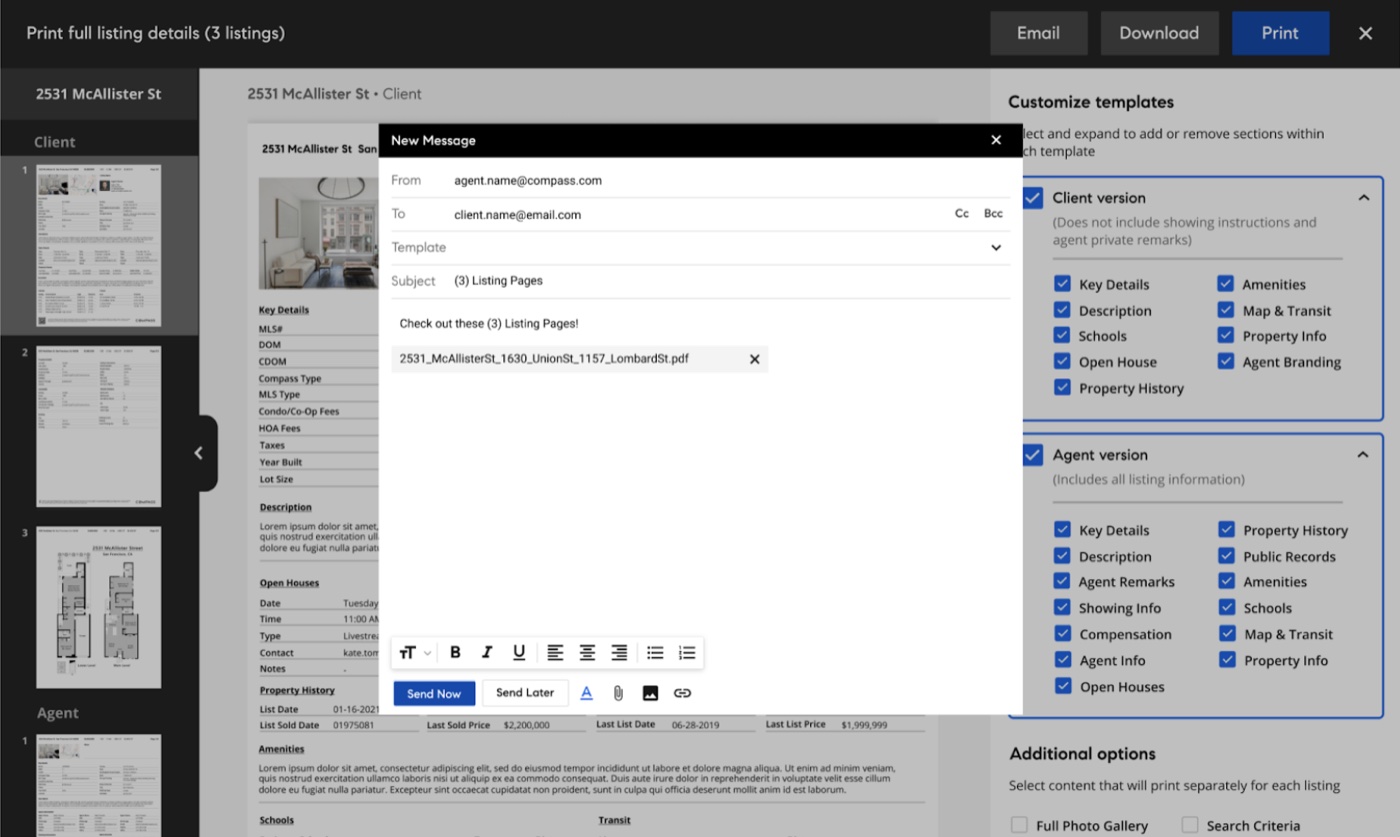
Emailing the template from Compass's built-in messaging
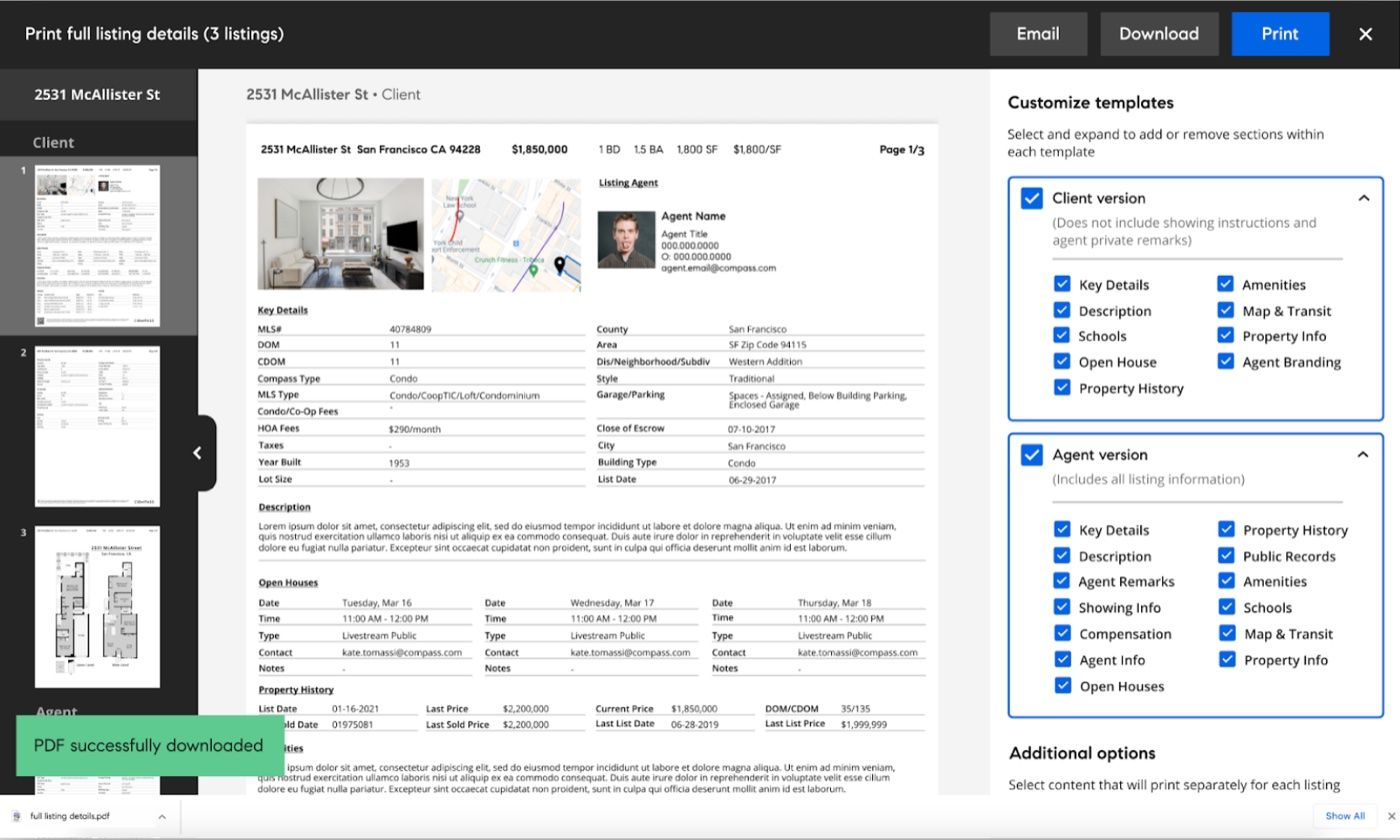
The template downloaded as a PDF
Or send it: email it from Compass messages, or download a PDF

Impact & reflection

Agents stayed in Compass

Print shipped with the Agent Page Redesign in Q3 2021, to universally positive feedback. Agents praised printing without switching to the MLS, customization beyond what their MLS offered, and templates that read better. Since launch it’s averaged 500 unique listing page sessions a day, with page views on agent listing pages rising.

As Sheri put it: “I was having to keep two windows open, cross referencing addresses from Compass to the MLS, bouncing back and forth. This is just way better.” Next, print joins Toursheets, so agents can add photo sheets and driving directions between homes.

End of case studyBack to top ↑