Back to work

Doctor On Demand · Case study

Behavioral Health Scheduling

Recurring appointments that providers can request and patients can book, keeping long-term care seamless.

Role
Product Designer
Team
1 designer
Timeline
2020
Platform
iOS, Android
50%Nearly half of behavioral health patients booking a follow-up scheduled their next 2 sessions in the first month
“Confident that, with the new ease of scheduling, patients are being seen more consistently.”
A Doctor On Demand provider, after launch

The problem

Patients could book one session at a time

Doctor On Demand was growing its behavioral health practice, where care is a course of treatment: usually 6 to 10 sessions with the same provider. But the app only let patients book one appointment at a time.

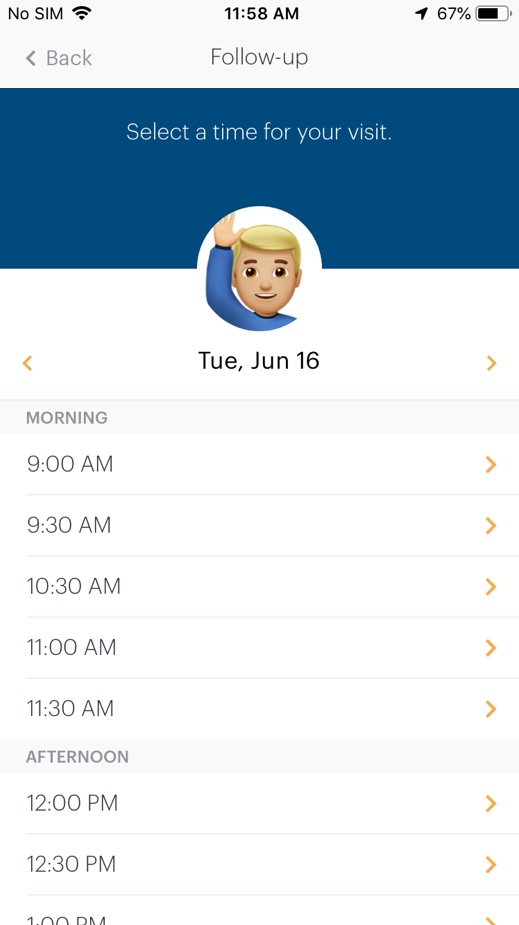
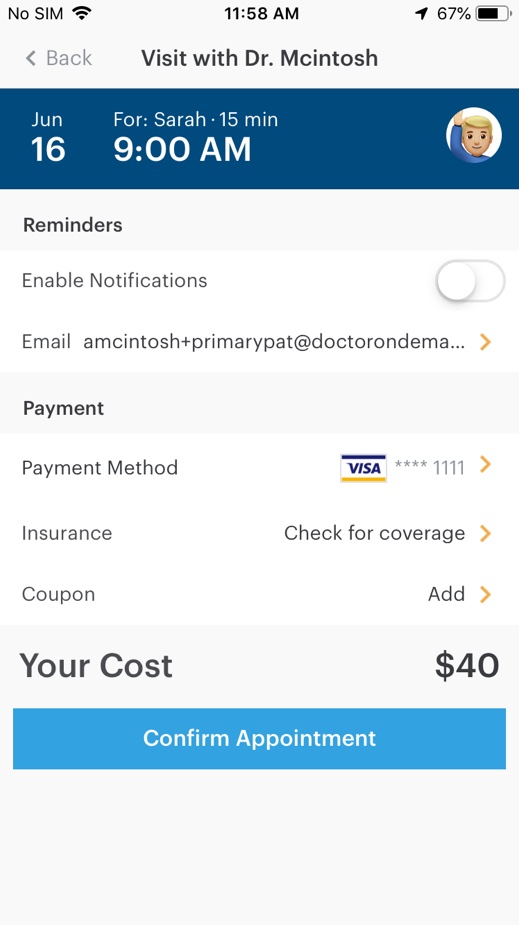
Every next session meant going back to the appointment list, starting over and scrolling a long list of times. Sessions got booked sporadically, and the confirmation did nothing to bring patients back for the next one.

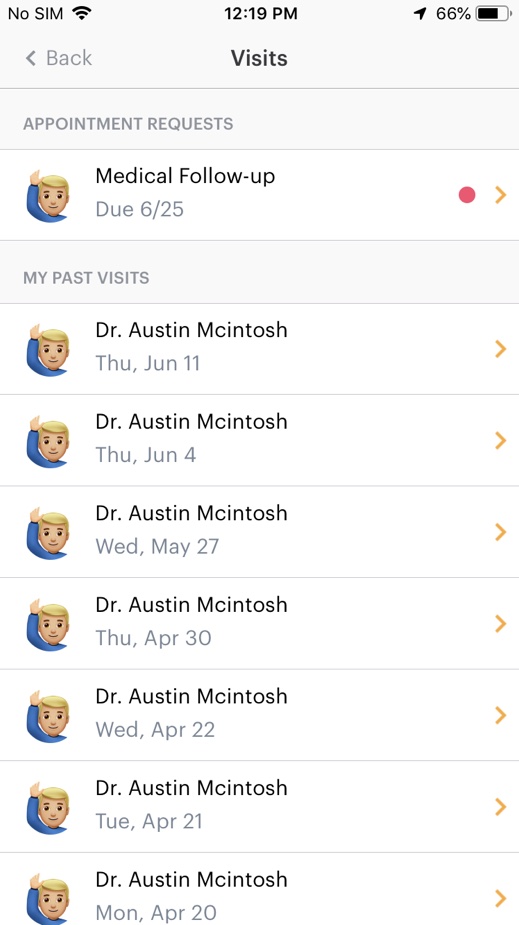
Before: a provider's appointment request in the visits list Before: one long list of times for a single day Before: confirming a single appointment
Before: a request, a long list of times, and a confirmation for one visit only

Key decisions

Shop for sessions like dinner

Borrow the cart from food delivery

What we learned
Competitors didn’t let patients book several appointments at once. Food delivery apps like GrubHub and DoorDash had the right idea: batch items as you go, then check out once.
What I did
Chosen sessions collect in a floating button, like a cart, so patients keep picking dates and review them all together.
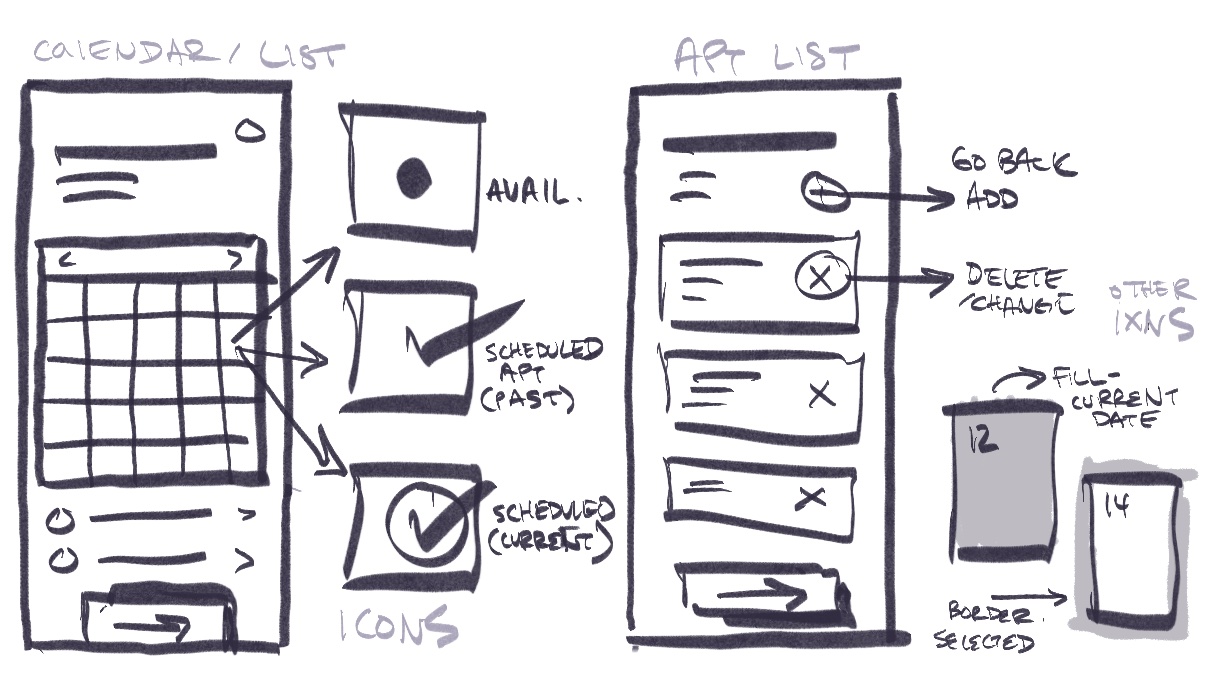
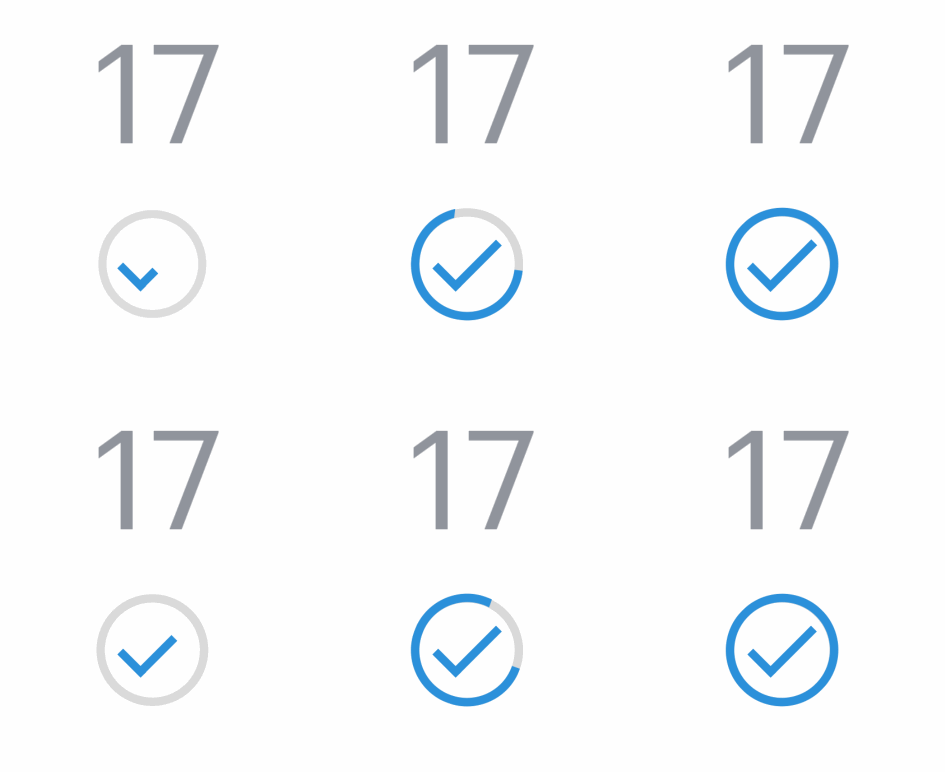
Sketches of the calendar, its availability and booking icons, and the appointment list with add and remove
Early sketches: the calendar’s icons and the list you check out from
A ring of blue dashes bursting outward when a day is picked
A calendar day drawing its check mark
The floating button's count rolling up to 1 appointment selected
Animation tests in Principle: a spark as a day is picked, its check, and the button counting up, like adding to a cart

A calendar with a picker, not a list of times

What we learned
Patients disliked scrolling long lists, and in testing the times listed under the calendar disappeared on smaller screens.
What I did
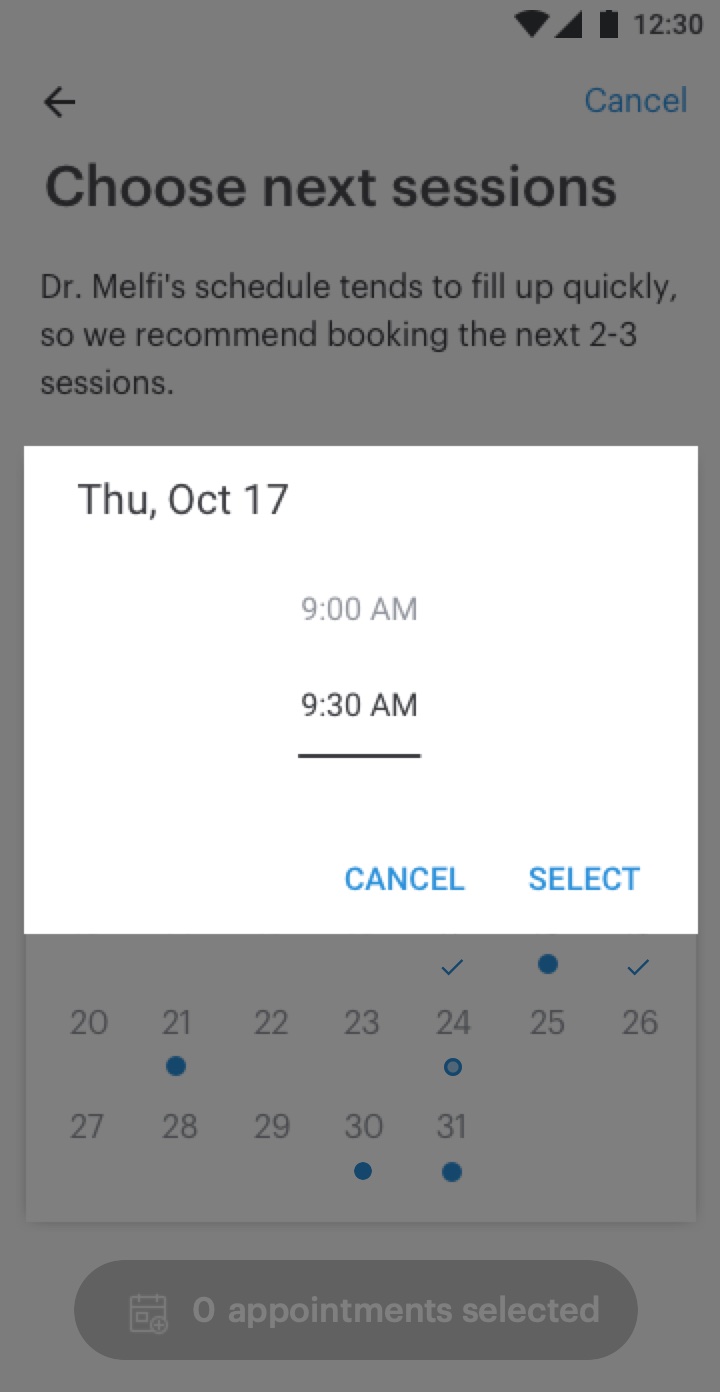
Tapping an open day opens a time picker, so the calendar keeps its room to show availability at a glance.

Fewer icons, and clearer pricing

What we learned
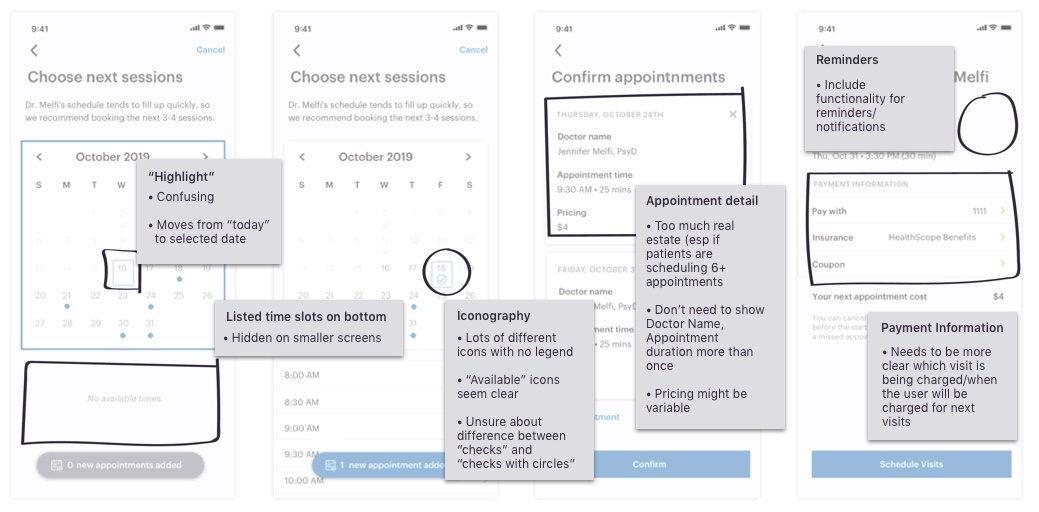
Testers couldn’t tell a check from a check with a circle, the highlight moving from today confused them, and it was unclear when each visit would be charged.
What I did
Three states only: a dot for open, a check for past, a ring for chosen. And a payment step that says exactly what’s charged, and when.
The first prototype's four screens, annotated with test findings about the highlight, the time list, the icons, appointment detail and payment
Notes from testing the first prototype

The solution

Book the whole course in one go

Providers send a follow-up request from their visits panel. The patient picks every session they need from the provider’s calendar, reviews them together, and pays once.

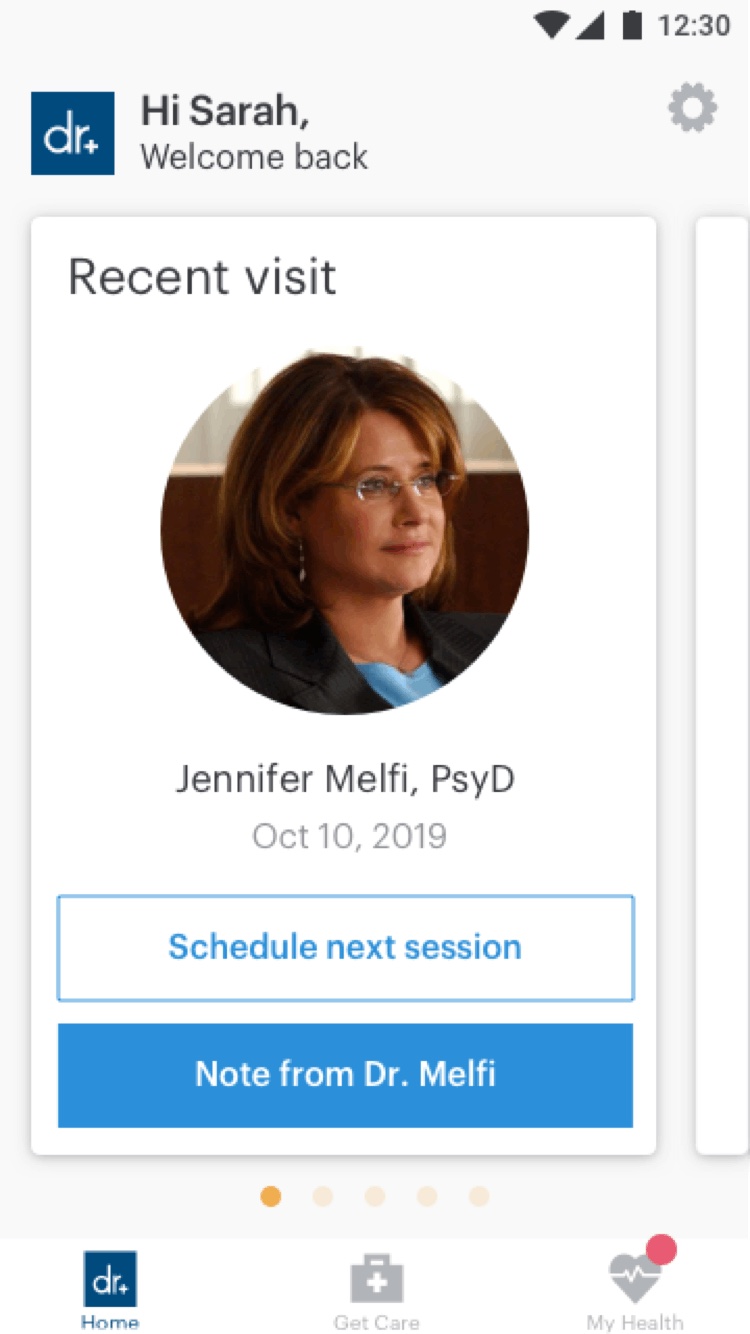
The home screen, with the provider's prompt to schedule the next session
Home
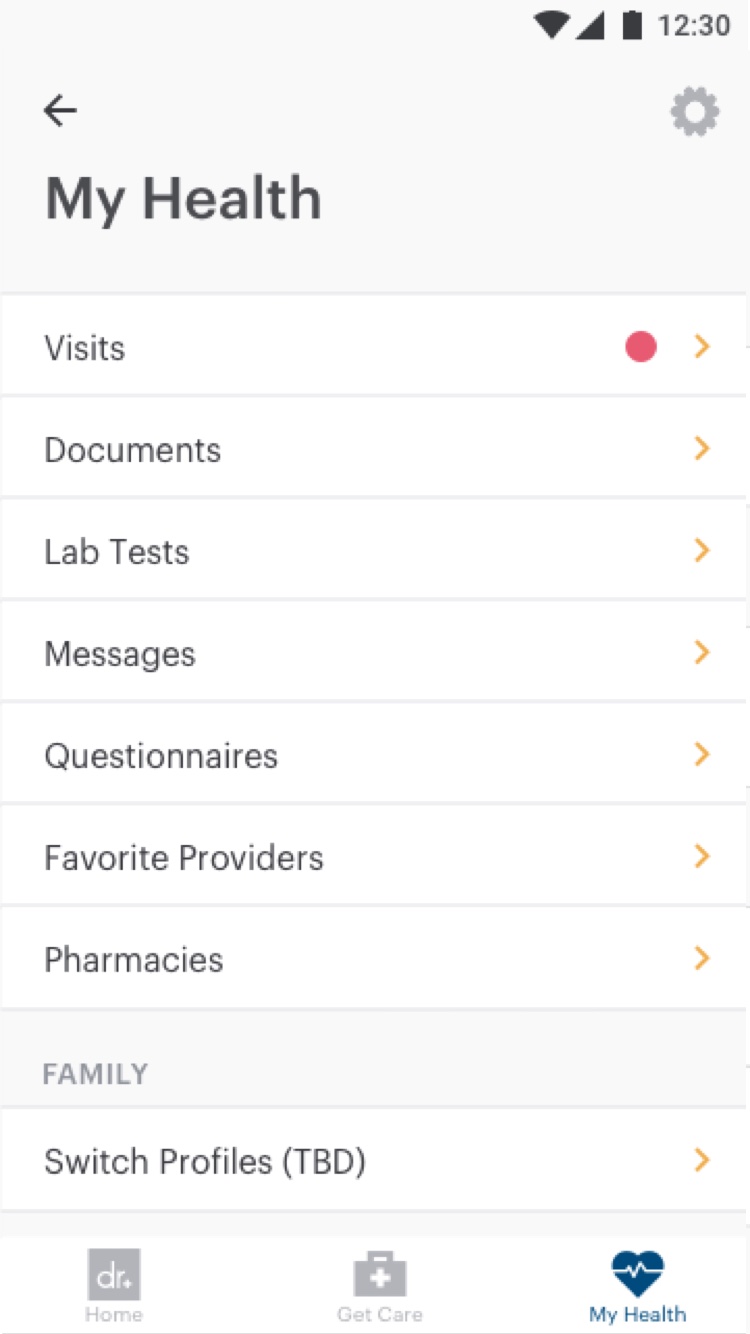
The My Health menu, with a dot on Visits
My Health
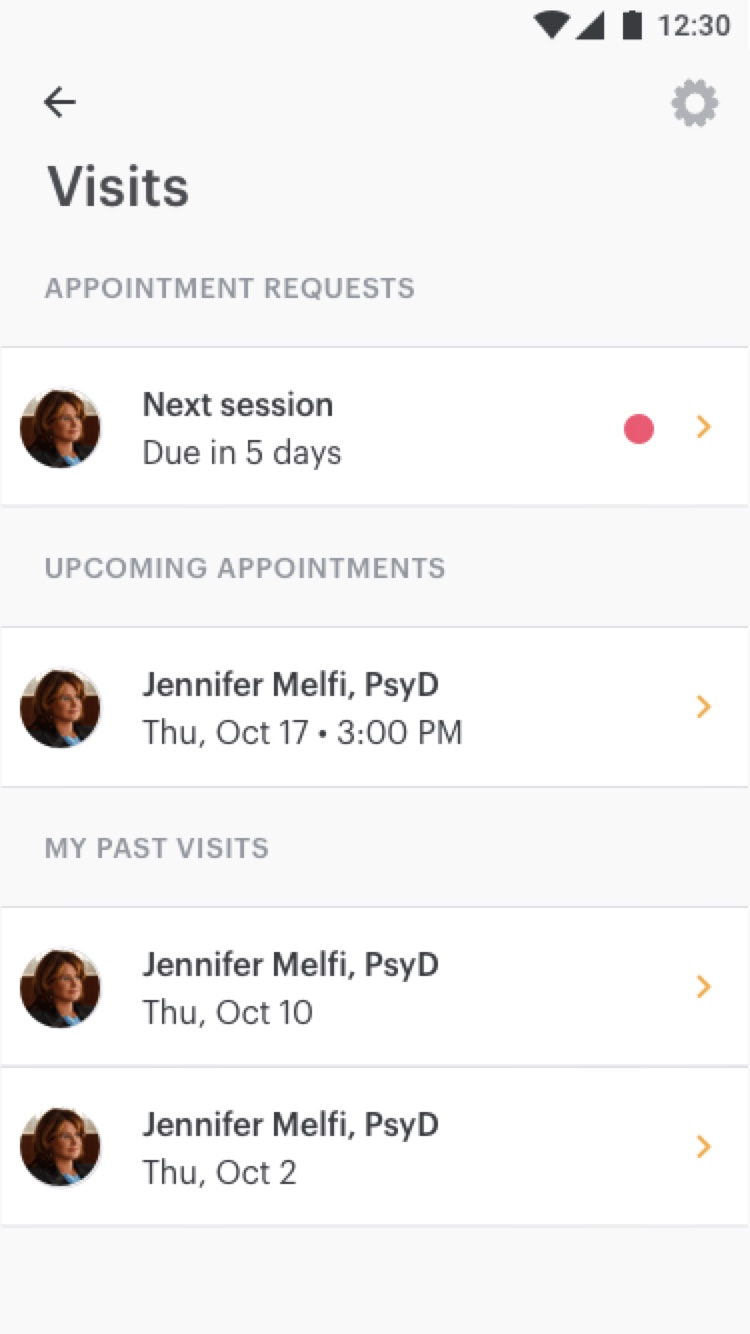
The visits list, with the provider's appointment request at the top
Visits
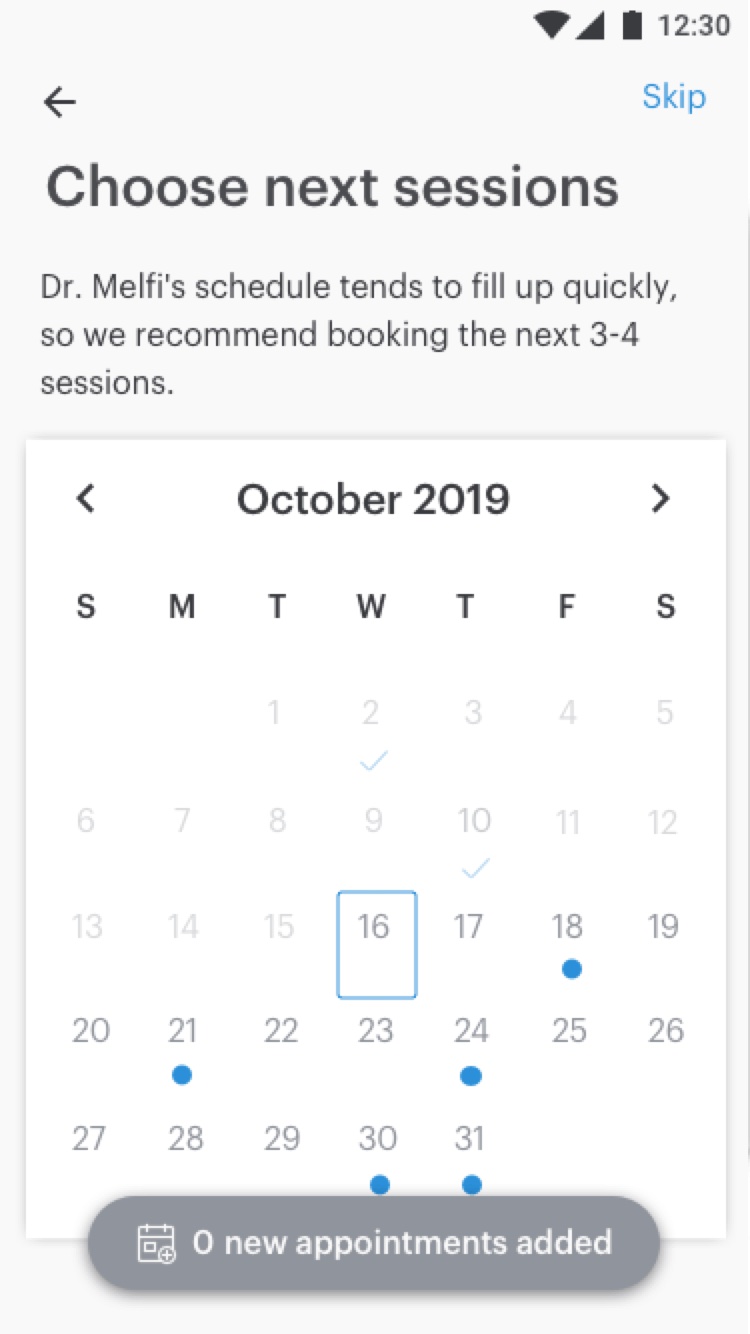
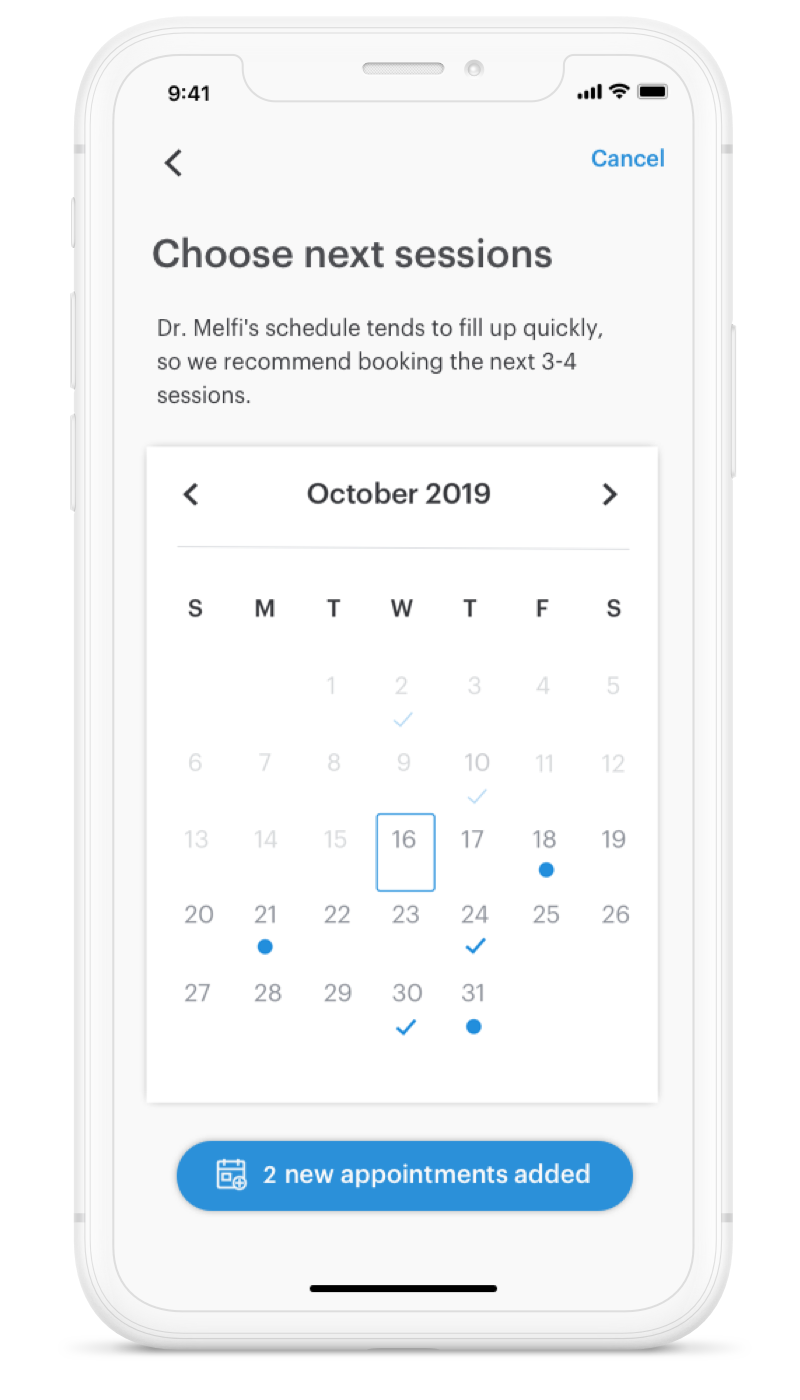
Choosing next sessions: open days marked with dots
Choose sessions
The time picker for Thursday, October 17
Pick a time
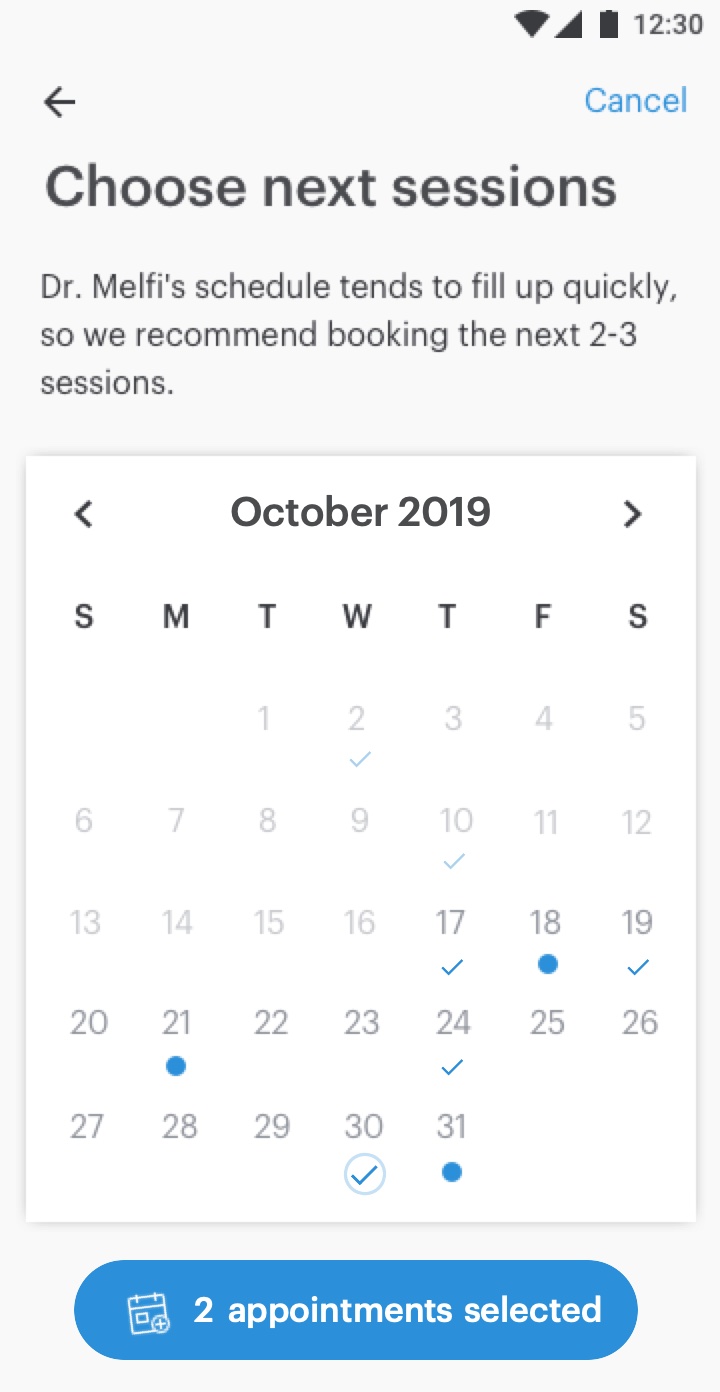
The calendar with two sessions chosen and the button showing 2 appointments selected
Sessions chosen
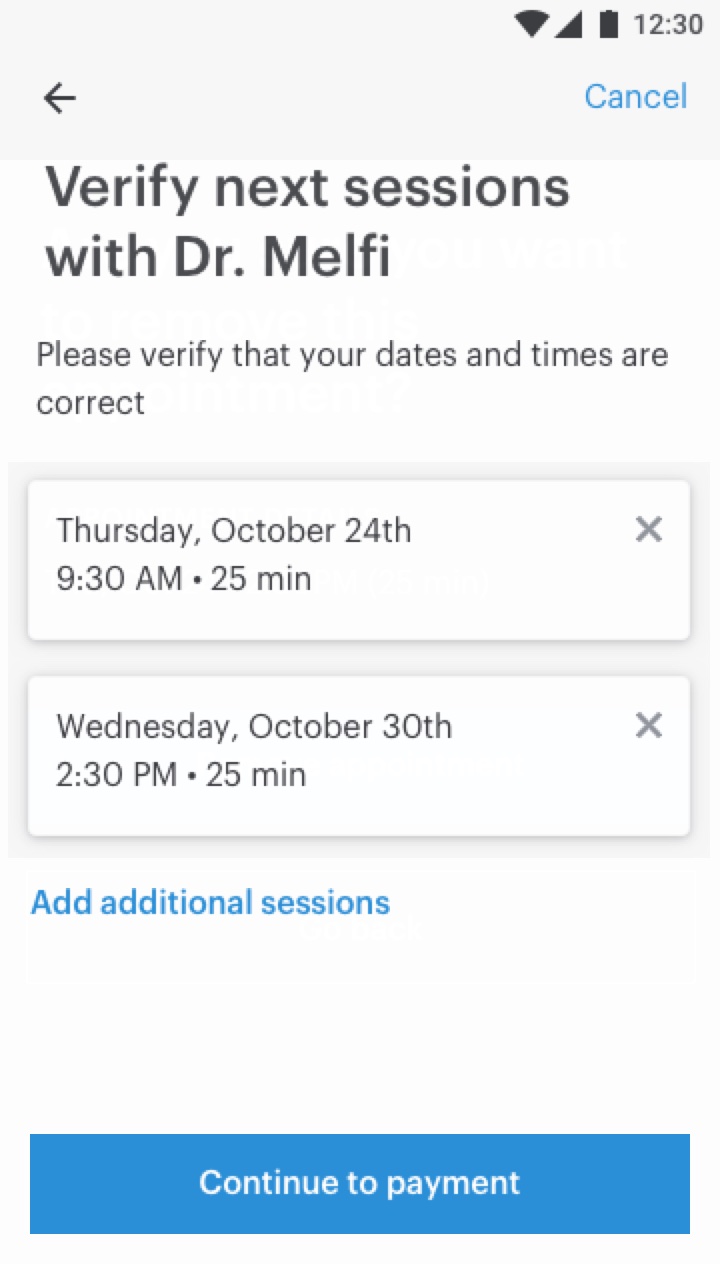
Verifying the two chosen sessions
Verify
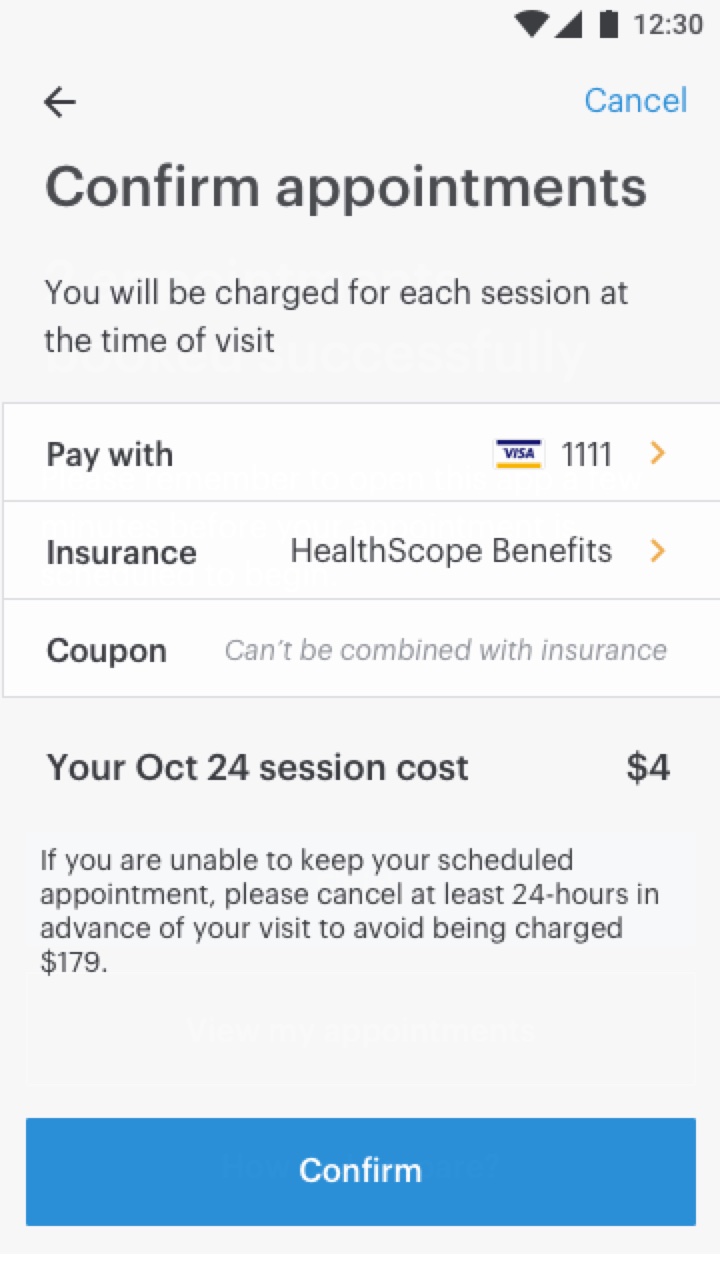
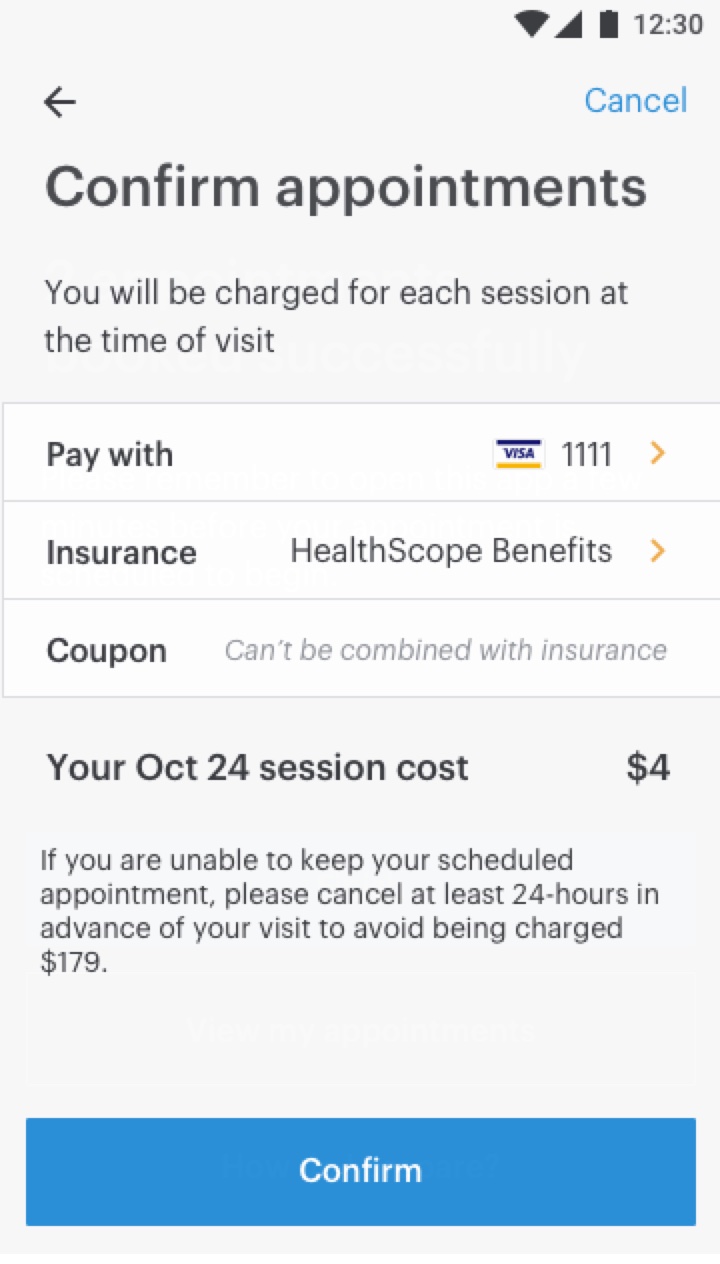
Confirming payment, with what's charged and when
Payment
The final flow, screen by screen, from the provider’s request to payment. Hover to pause
  1. Dots mark the provider’s open days. Tap one to choose a time
  2. Each pick lands in the floating button, like a cart
  3. Review the list: remove a session or add more
  4. Payment spells out what’s charged, and when
  5. Try it: this phone is live
Skip
Choose next sessions

Dr. Melfi’s schedule tends to fill up quickly, so we recommend booking the next 2-3 sessions.

‹October 2019›
SMTWTFS
Cancel
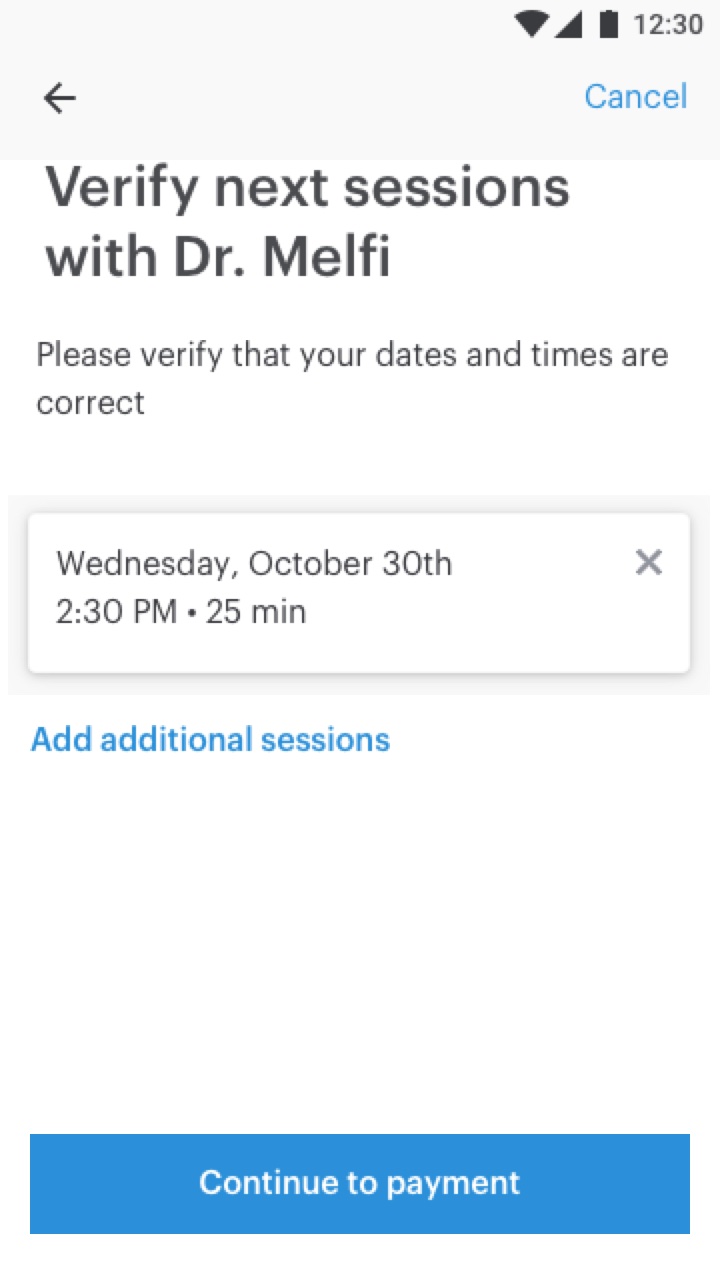
Verify next sessions with Dr. Melfi

Please verify that your dates and times are correct

Cancel
Confirm appointments

You will be charged for each session at the time of visit

Pay withVISA 1111
InsuranceHealthScope Benefits
CouponCan’t be combined with insurance
Your Oct 24 session cost$4
If you are unable to keep your scheduled appointment, please cancel at least 24 hours in advance of your visit to avoid being charged $179.
2 appointments booked successfully

Please remember to open this app a few minutes before your appointment is scheduled to begin.

How do I prepare?

Impact & reflection

Booked ahead, but not far enough

In the first month, nearly half of behavioral health patients booking a follow-up scheduled their next 2 sessions, and providers noticed patients being seen more consistently.

But almost no one booked more than two sessions ahead, against a goal of 5 to 6. We suspected providers weren’t keeping their availability up to date, so the next step was making it easier for them to open new time slots.

End of case studyBack to top ↑