

Giving agents the power to customize their listing presentations
COMPASS • 2022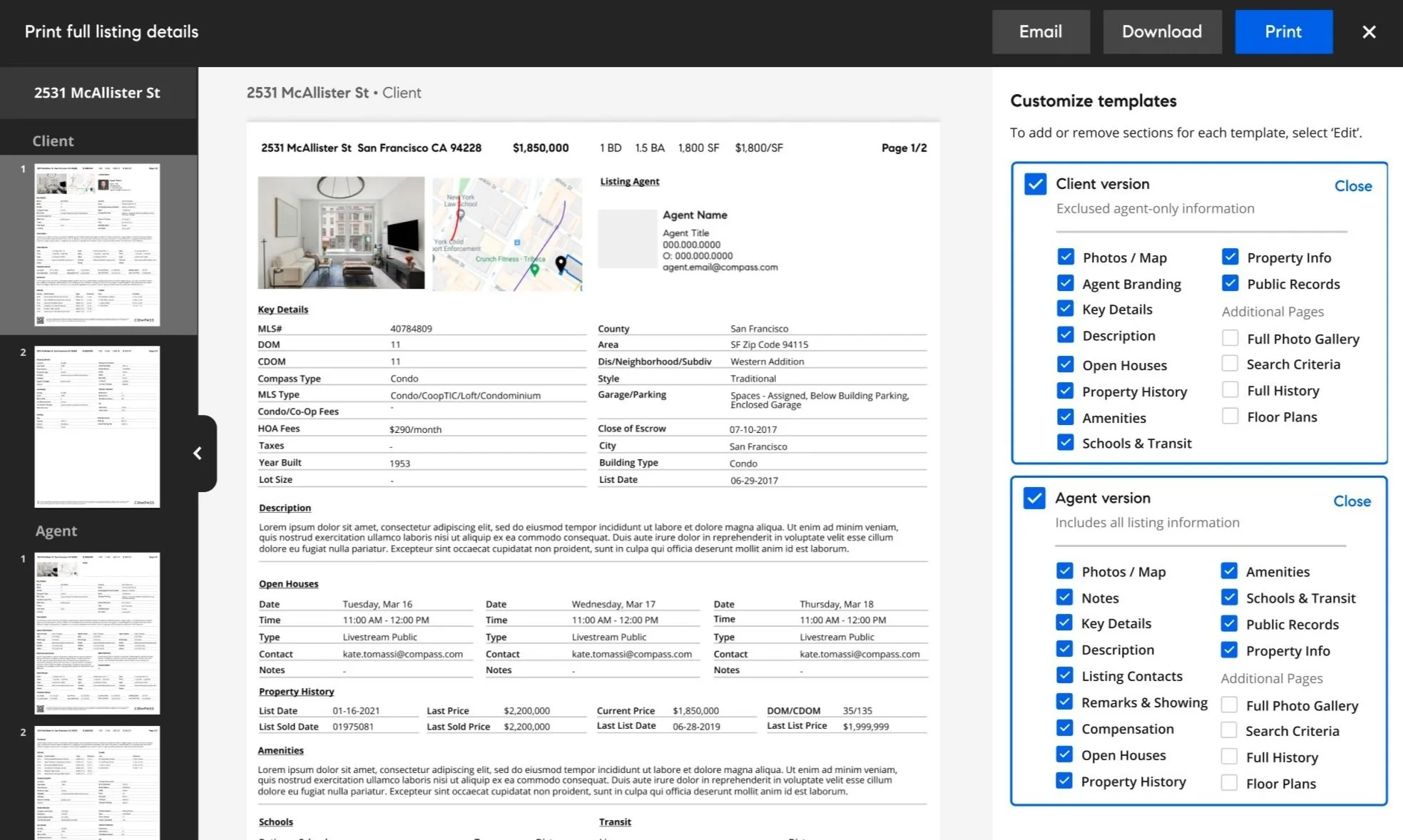
Built a tool for agents to customize, preview, and save printable listing templates. Agents could cut through dense MLS data and surface only what mattered, saving time and reducing paper waste in the process.
My Role
Product Designer, Web
Tools
Figma, Miro, Canny
Key Themes
Interface Design, Interaction Design, User Research, Market Research
Overview
Why print?
I know what you’re thinking.. “Who prints things anymore?” Well, surprisingly enough, real estate agents rely heavily on physical documents in their day-to-day lives. Having a physical document of property records is important for agents to have to reference during showings, inspections, signings, etc.
Our team identified an opportunity to add print functions during a user testing session, where an agent mentioned being frustrated that they had limited print options on Compass. Exploring this further, we sent out a survey to 60 agents across 5 regions and discovered that ~80% of agents surveyed have left Compass platform to print on their MLS within the last 3 months
Goals
• Give agents the ability to print out full listing pages and property media/ data
• Allow agents to customize print templates by adding the ability to add/remove necessary data fields (similar to the MLS)
• Introduce actual “Print” functionality to the Compass platform, instead of just downloading PDFs
Measuring success
Ultimately, we want to make sure agents have everything they need to be successful on the Compass platform, therefore, success for us looks like agents spending more time on the Compass platform, and less time on their MLS.
Persona / Profile

Octavia
• Compass buyer agent
• Manages clients that are looking at and scheduling tours for multiple homes
• Works out of a Compass field office in Northern California
Goals
• Give agents the ability to print out full listing pages and property media/ data
• Allow agents to customize print templates by adding the ability to add/remove necessary data fields (similar to the MLS)
• Introduce actual “Print” functionality to the Compass platform, instead of just downloading PDFs
Needs
• To quickly print full listing pages directly from the Compass platform in order to quickly access information on a tour
• To preview/customize templates before printing
Research
How do agents print on Compass currently?
Its important to note that Compass currently offers printing via our Marketing Center platform, which allows agents (or agent-assistants) to print flyers and marketing materials
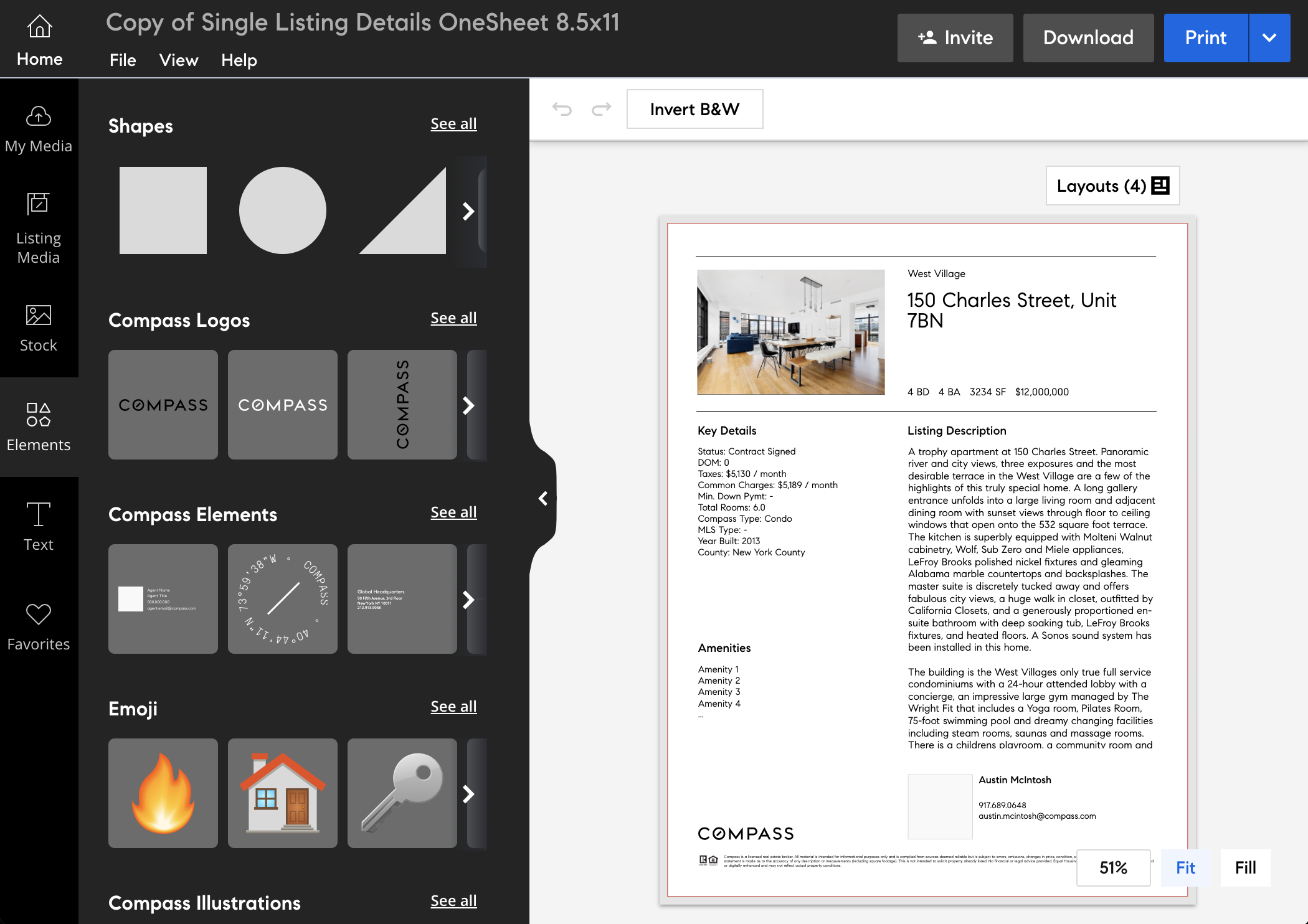
Because we know agents are leaving the Compass platform to print on their MLS, we know that agents aren’t getting what they need from Marketing Center. So we had to schedule some interviews to ask agents about what is missing.
User research & discovery
Our first step was to recruit some agents for 1-1 interviews where we would get to know how/why they need to print listing pages, and what steps they currently take to do so.
1-1 interviews
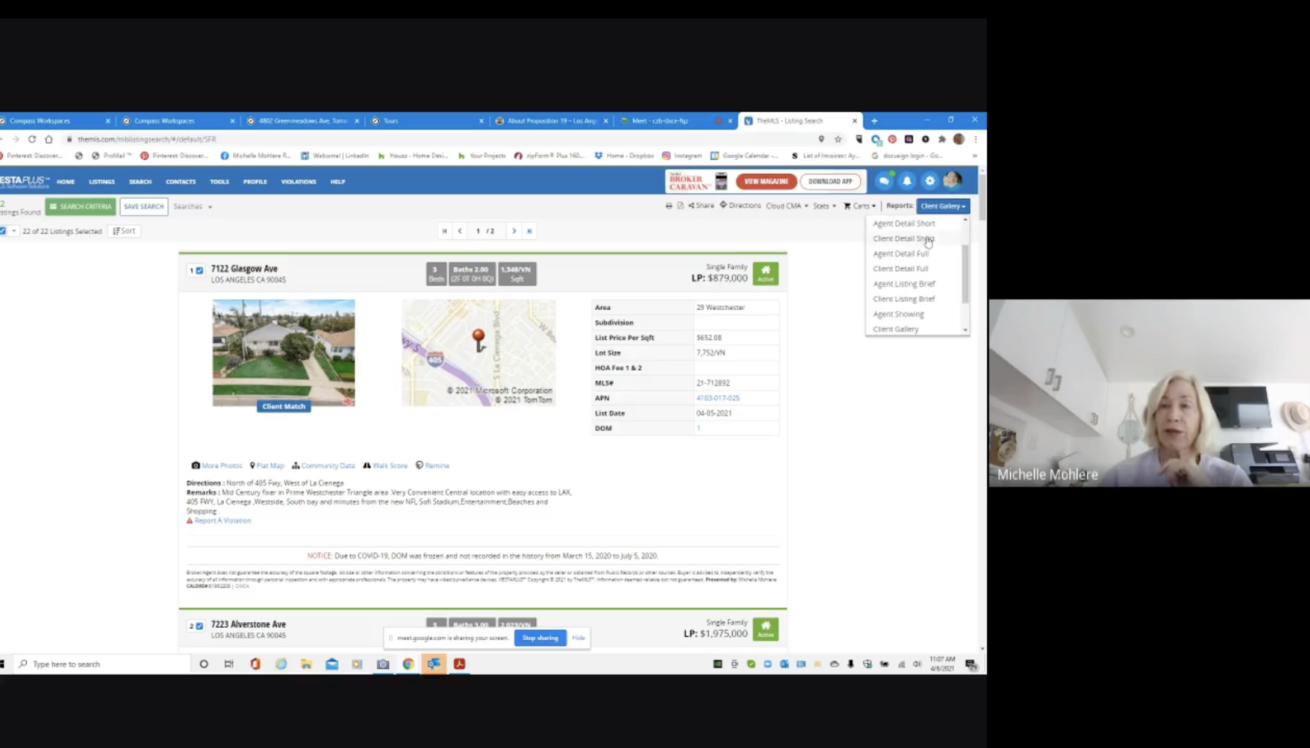
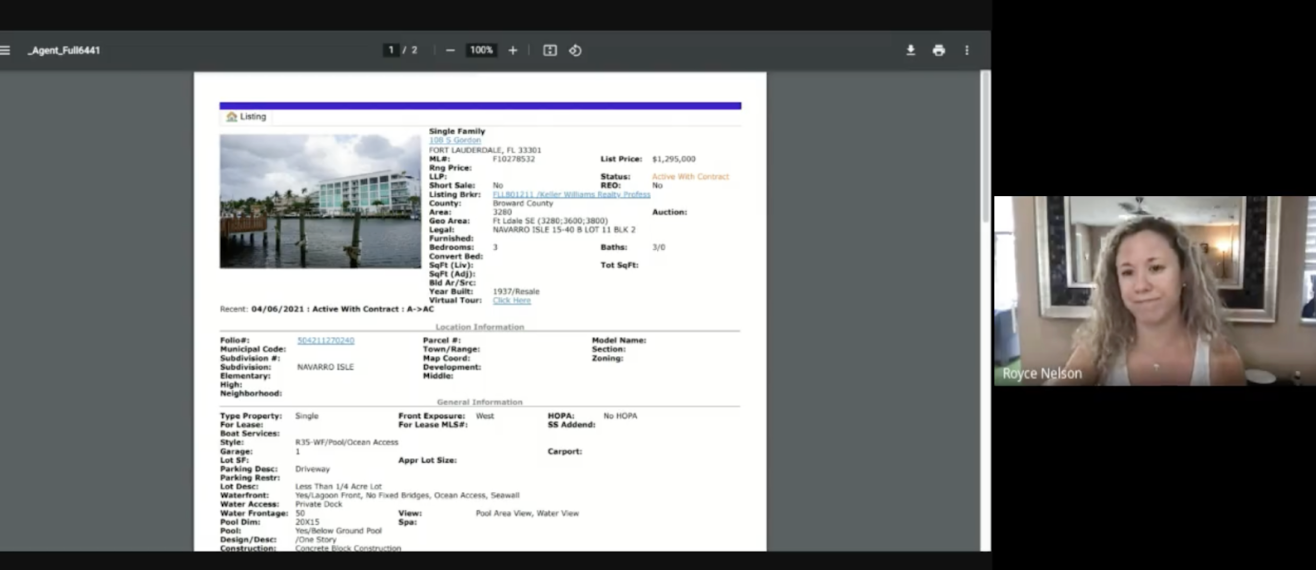
Over the course of two weeks, we interviewed 15 agents across 5 major regions, asking them to demonstrate how they use their MLS to print
“I typically print it to bring with me to showings for buyers. I sometimes print it when I'm working on CMA, running comps for sellers and or buyers. I'm kind of a paper person; I'm trying to get away from that, but sometimes it's easier to have it in front of me rather than clicking through several different screens. But I would say probably 85% of the time I print it to bring with me ... to showings for buyers.”
- Emily (Agent) from Houston
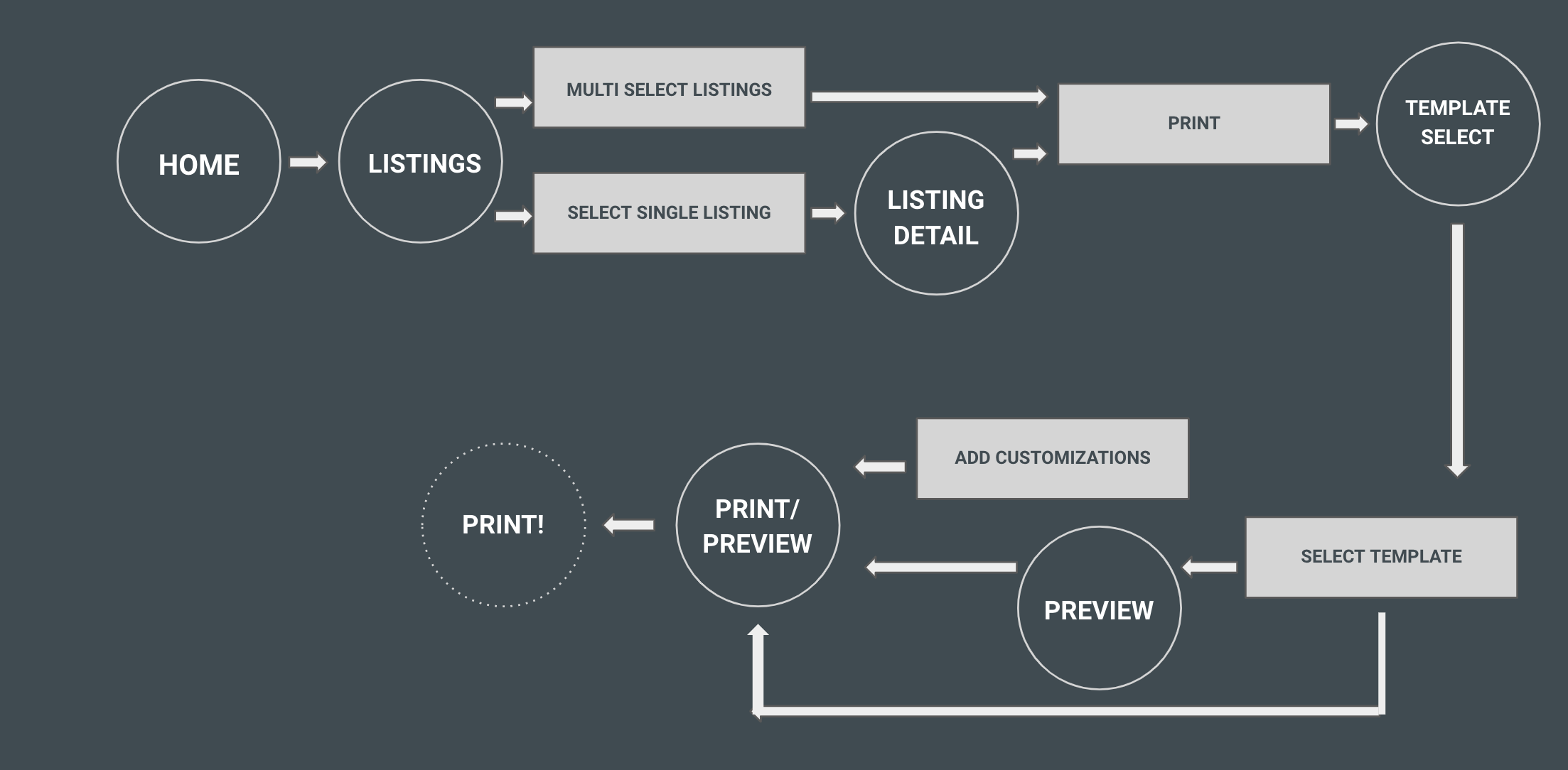
The current flow of printing on Compass, using Marketing Center
Interview Key Findings
Printing on the MLS can be performed directly on the listing page, while printing on Compass is not discoverable and redirects to other products
Our current print templates do not contain enough property information and are difficult to read
Participants use only 2-3 templates on their MLS for printing listings, commonly an agent version and client version, where the agent version includes private remarks and showing instructions
Learning from reality
In order to print out listing pages, a majority of our agents prefer to use the MLS (a public tool for real estate agents to access property information).
If we wanted to better meet our user needs and expectations, we knew the best next step would be to analyze the competitor ourselves…
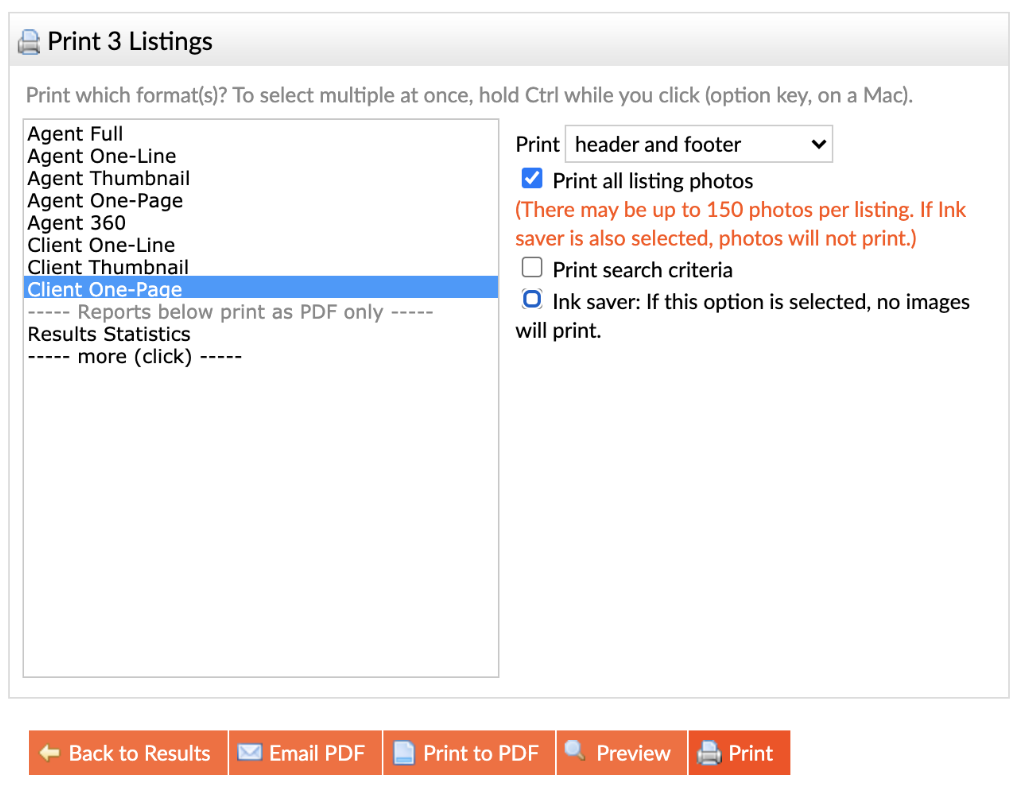
BrightMLS
• Allowed agents to select/multiselect from a list
• Gives multiple print templates (Agent/Client versions
• Further customization options, such as including photos, headers..
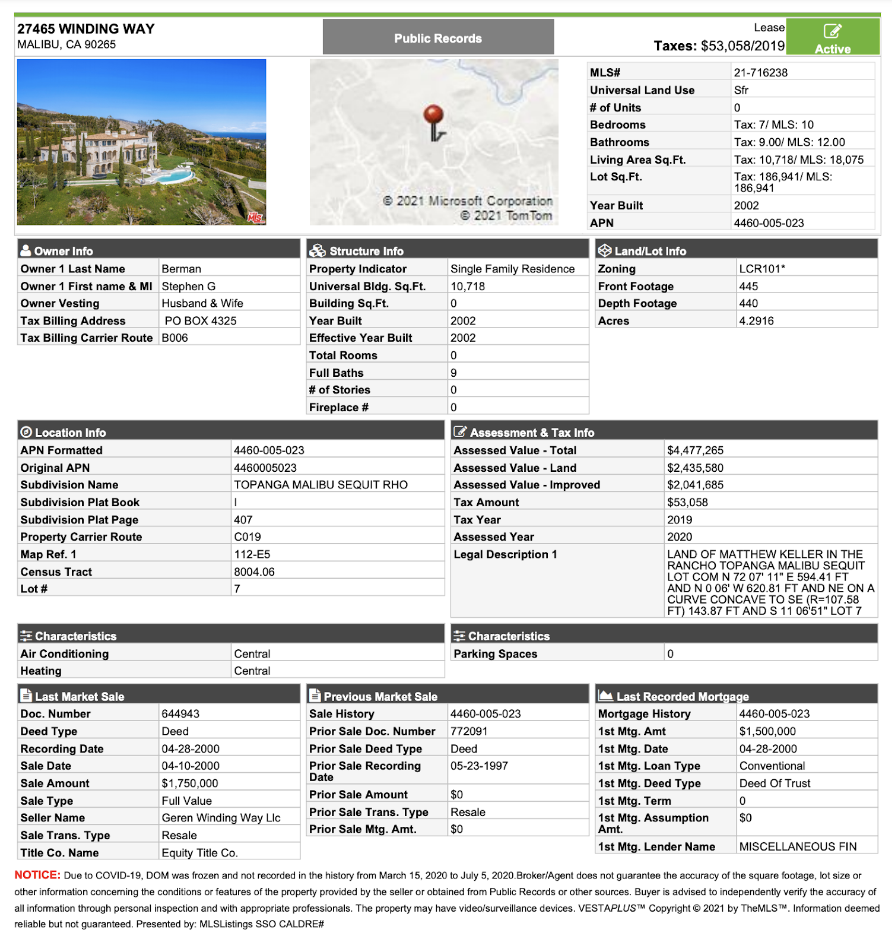
Vesta Plus
• Has a one-click dropdown button on each listing page, giving the agent the option to select the template and go
• Print templates match the order/styling of the listing page, but condense down the information to fit in 2 pages or less
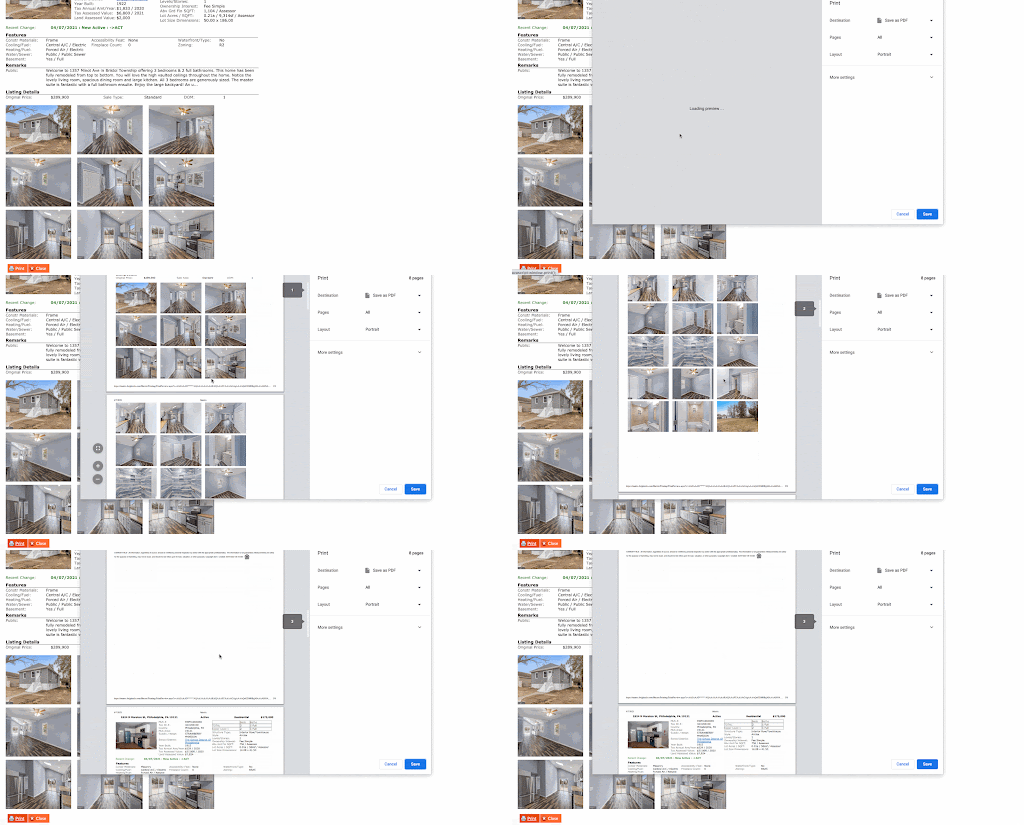
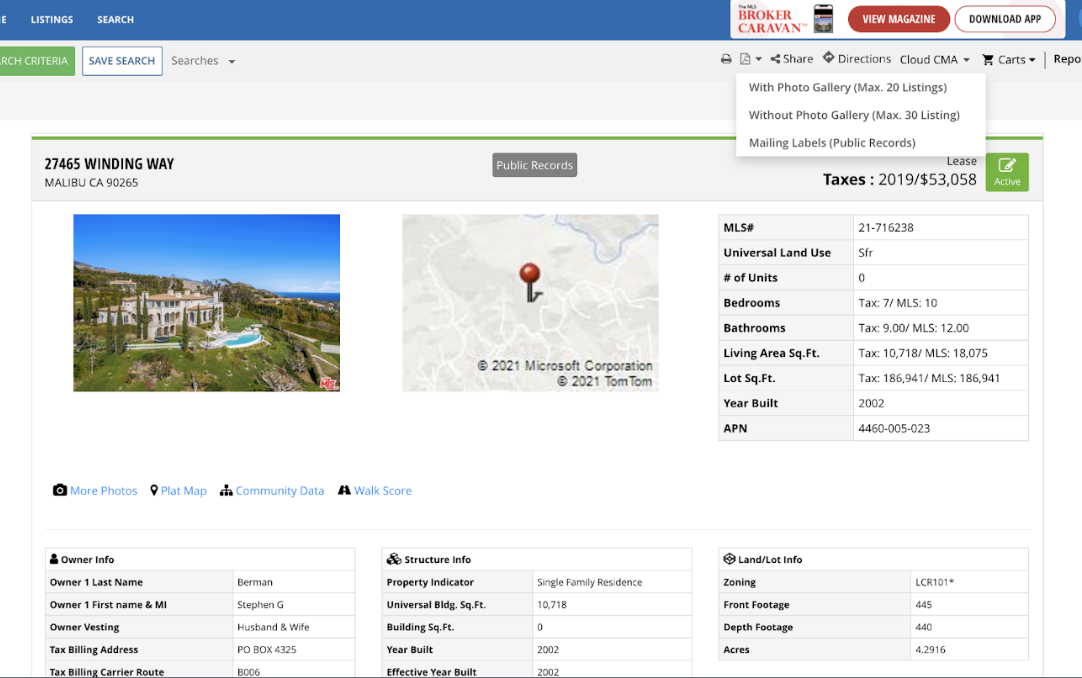
Listing software typically offers configuration of the information before printing
Market Research Key Findings
💡 Agents were having to manage listings on two platforms; they would manage digital listing pages on Compass and print templates on the MLS
💡 Agents need to print listings quickly, but want to be able to preview the template (and customize) beforehand
💡 Agents want multiple template types (Agent version, Client version)
Design
By now, we knew that in order to fill in the missing piece on Compass listing pages, we needed to bring in what agents liked about the MLS print flow into Compass
User flow
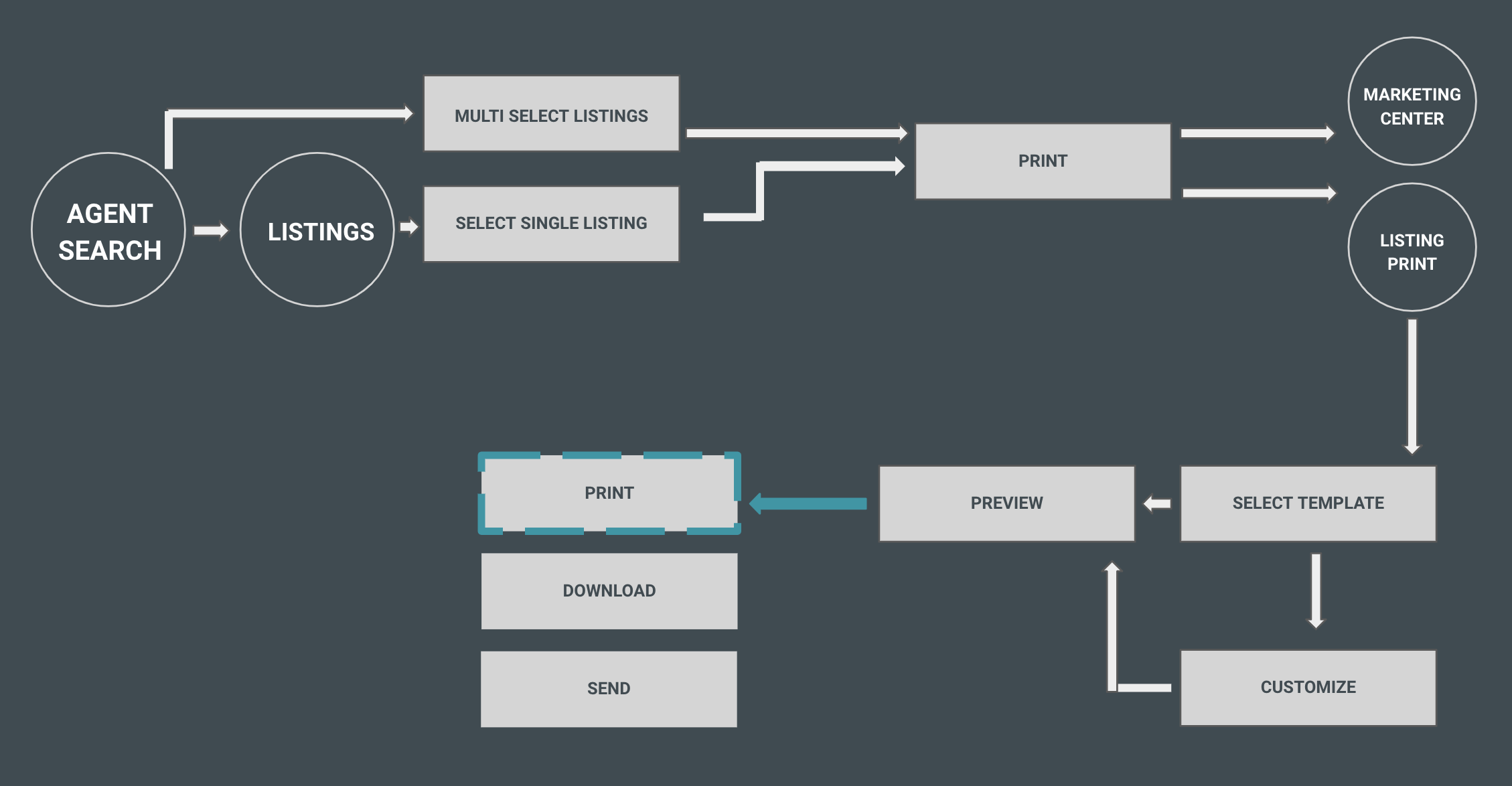
We decided to add “listing print” as a separate workflow from the existing Marketing Center workflow due to vastly different user needs between the two experiences.
Additionally, we wanted to make the flow for printing similar to that of the top-used MLS’s.
Entry points
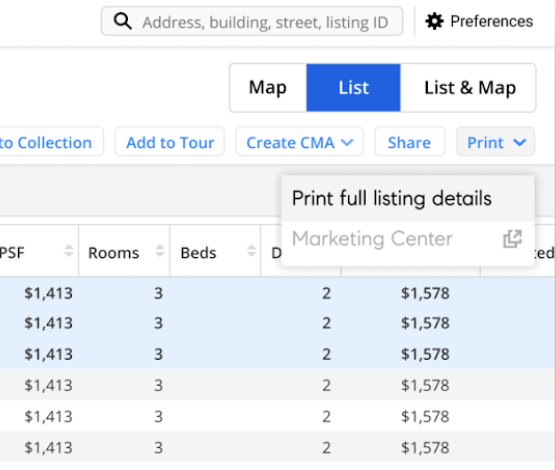
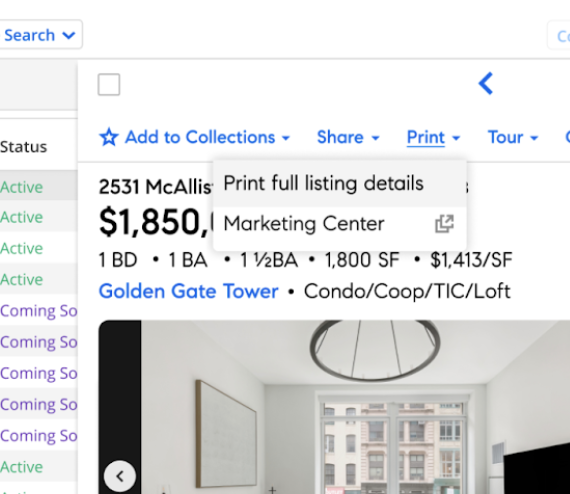
Agents mentioned the existing “Print” menu in our universal action bar being the most sensible place to add this new feature
Search: To optimize for quick printing from the search results page, in addition to multi-select print capability
Listing page: Allows agents to quickly print full listing pages directly from the property page
Template editor/preview
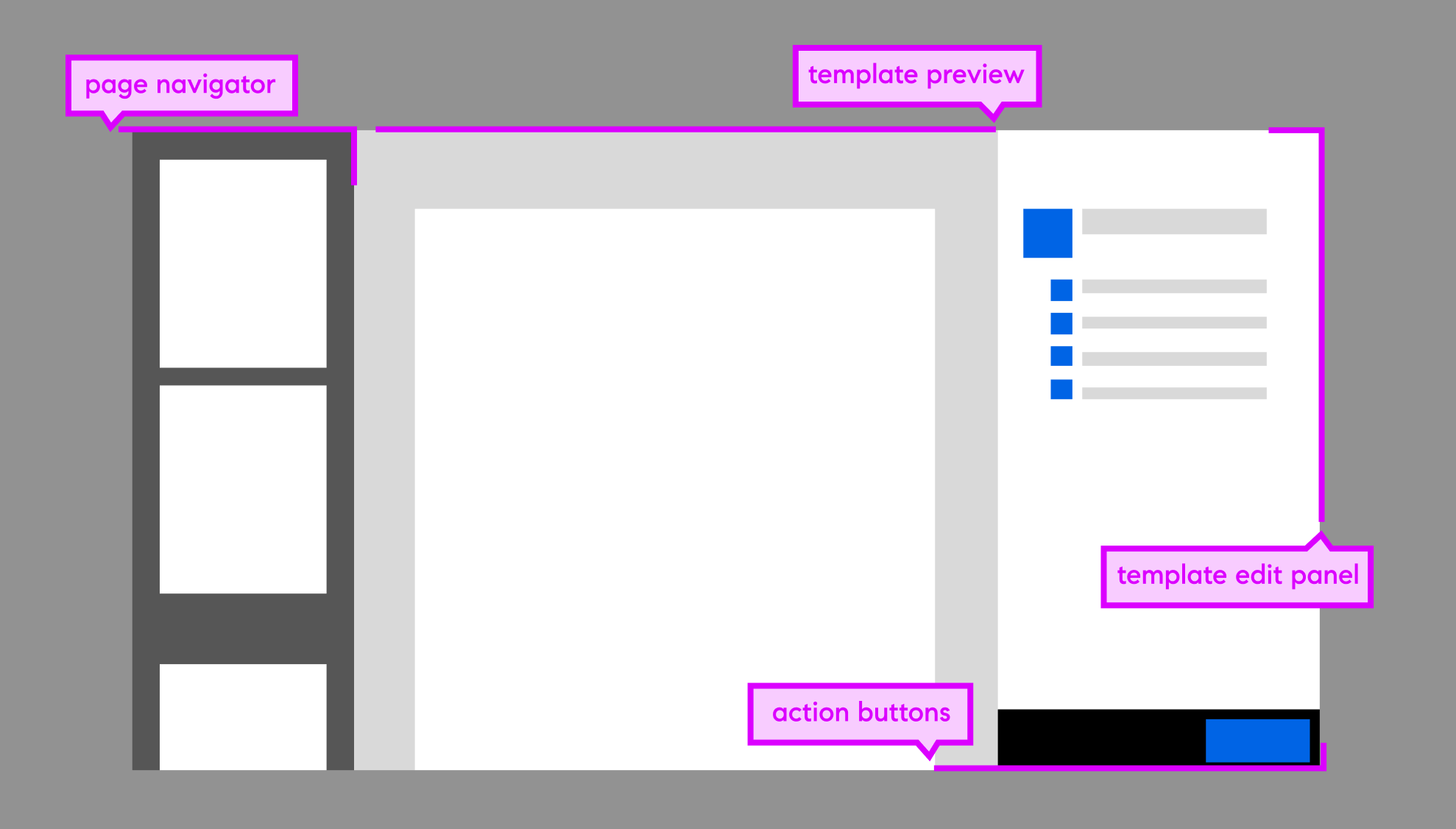
We used the general skeleton of our existing Marketing Center modal, but had to think through a few UI challenges (to be tested later):
1. Representing multiple listings within the preview & multiple templates within each listing
2. Interaction/interface design for adding/removing sections of data in the template
Template design
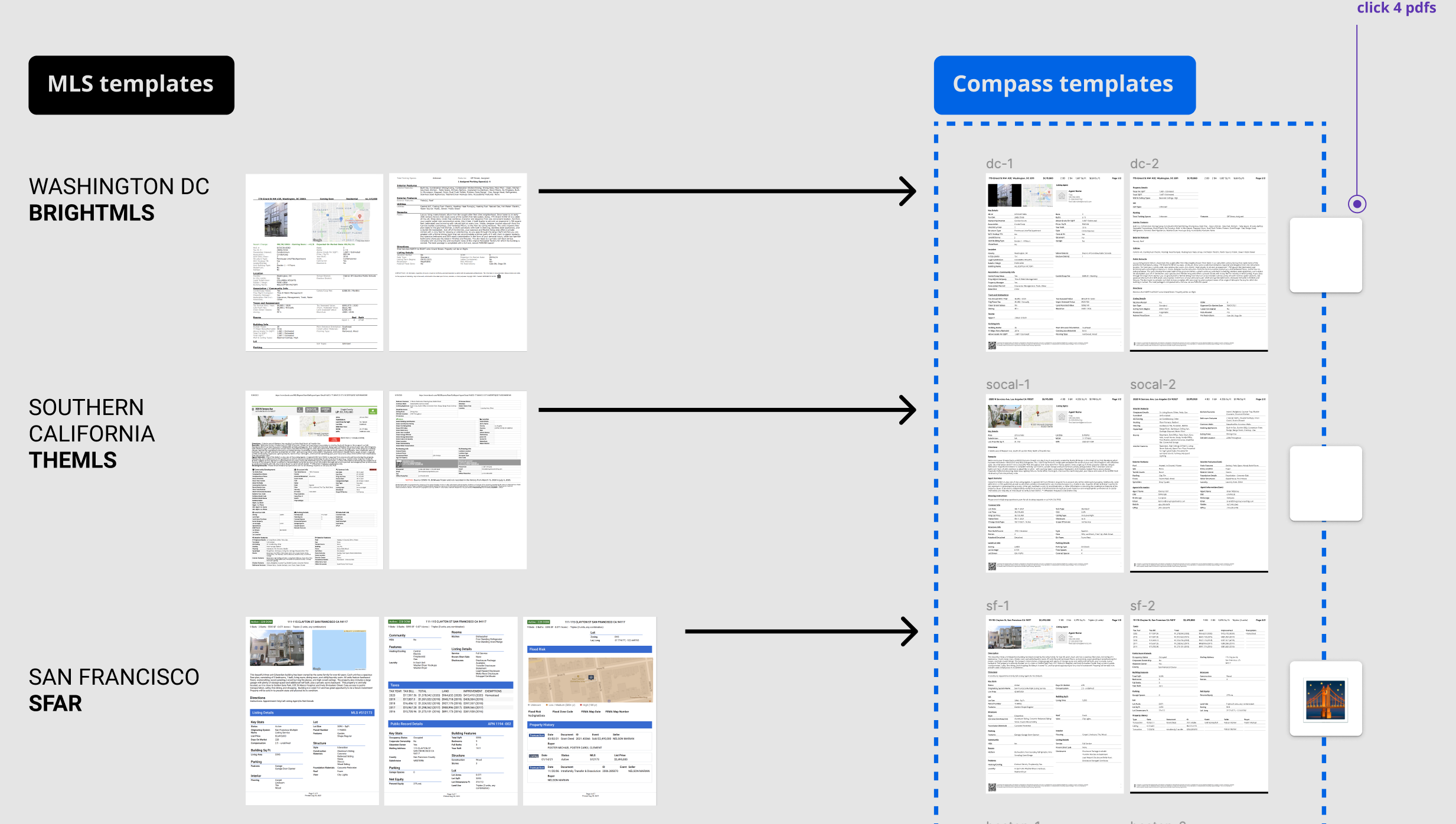
Getting the print templates just right was one of the biggest challenges of this entire project, and templates had to meet 3 main criteria”
1. Match the order displayed on the digital listing page
2. Be readable
3. Fit within two pages or less
We went through 10 iterations of the template design until we found one that successfully fit all listing page fields in under 2 pages.
A lot of printer ink was used in this phase too…
Design Evolution
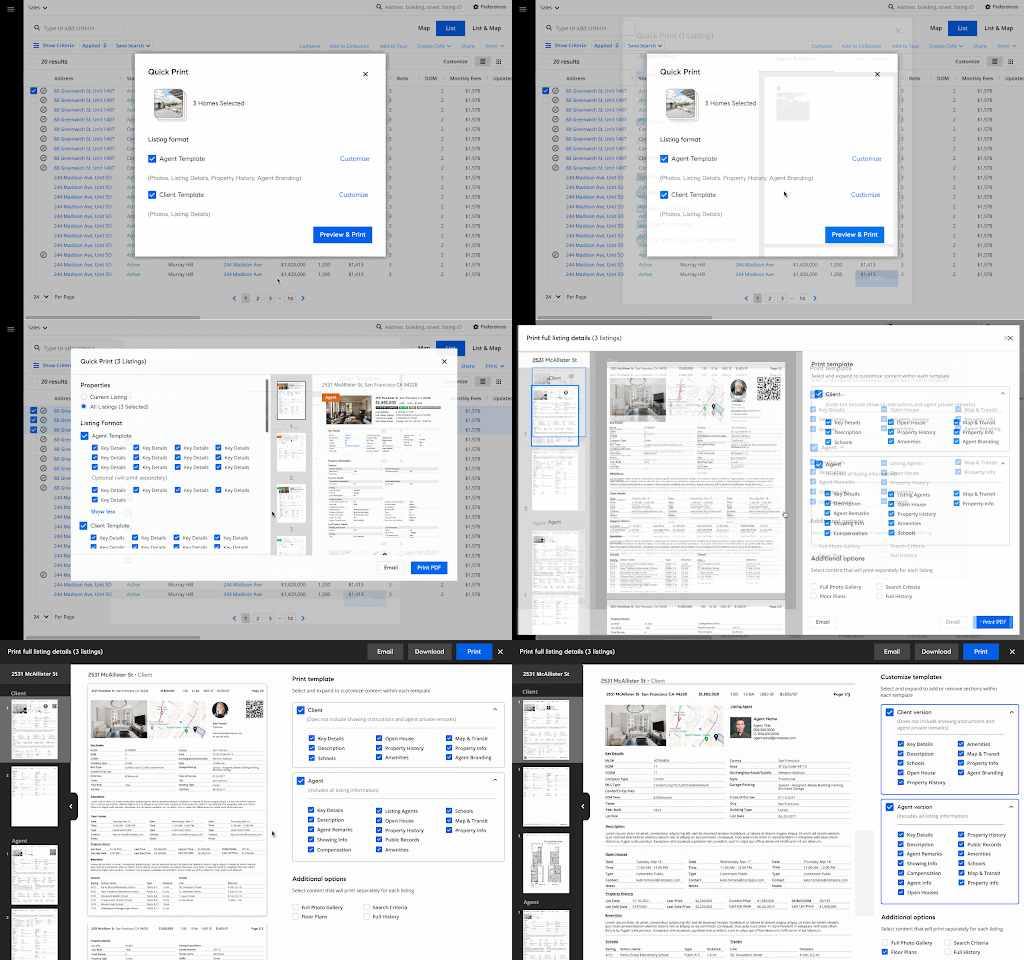
Testing
Process & goals
Every 2 weeks, we sent out an email to agents who participated in our initial survey and research sessions to recruit for 1-1 usability test sessions.
We conducted 9 usability sessions testing these key areas:
1. The efficiency of the print flow / how the process compares to that of the MLS
2. How easy and helpful is it for agents to customize their templates?
3. How does the template compare to that of the MLS?
Key quotes
On Entry Points/Discoverability:
“...print on full listing details or print everything, print listing one sheet, maybe I would expect for it to be like a more listing style, kind of like what's on the marketing center, by the way that it's the thing, when she, and just a quick print, it would probably be just the full listing detail information in the quick print PDF”
-Alex, New England
On Customizations/Editing:
“I think some people will get into this. Some people will just give, get what, you know, like there sometimes a menu can have too many options and people will just go back to what they, they usually do, but you know, sometimes people want to customize. So like I would never do it. I would just unclick agent”
-Yvette, Washington DC
“I feel that some of the choices should be quick … well I'm in quick, right? I'm in quick print.”
-Jason, New England
Test Findings & Trends
💡 Agents expect the print template/preview to match almost exactly to the listing page
💡 Agents were confused about the process of selecting templates and how to customize the templates further
💡 Having all of the checkboxes exposed distracted agents who didn’t want to customize from previewing the template
💡 Description/instructional copy was unclear
Iteration
Finalized designs
All designs went through a final round of usability testing where they passed with a majority of agents claiming the experience to be comparable, or better to that of the MLS
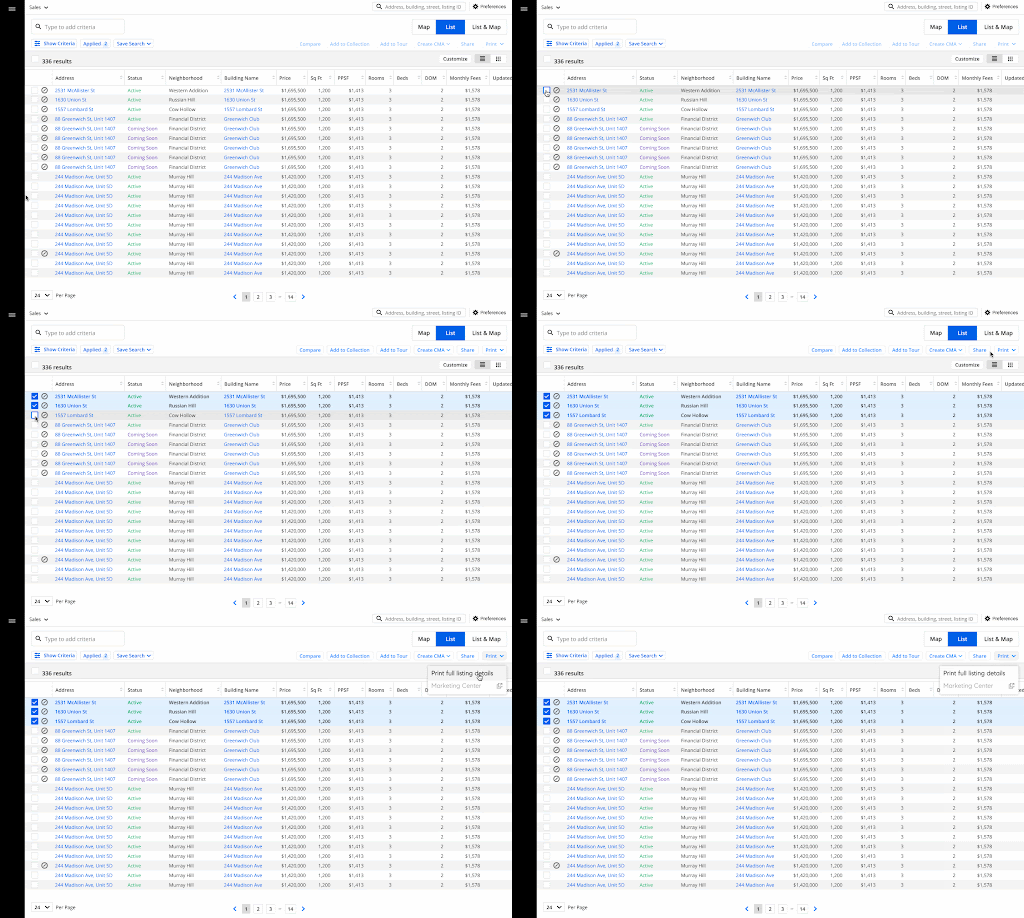
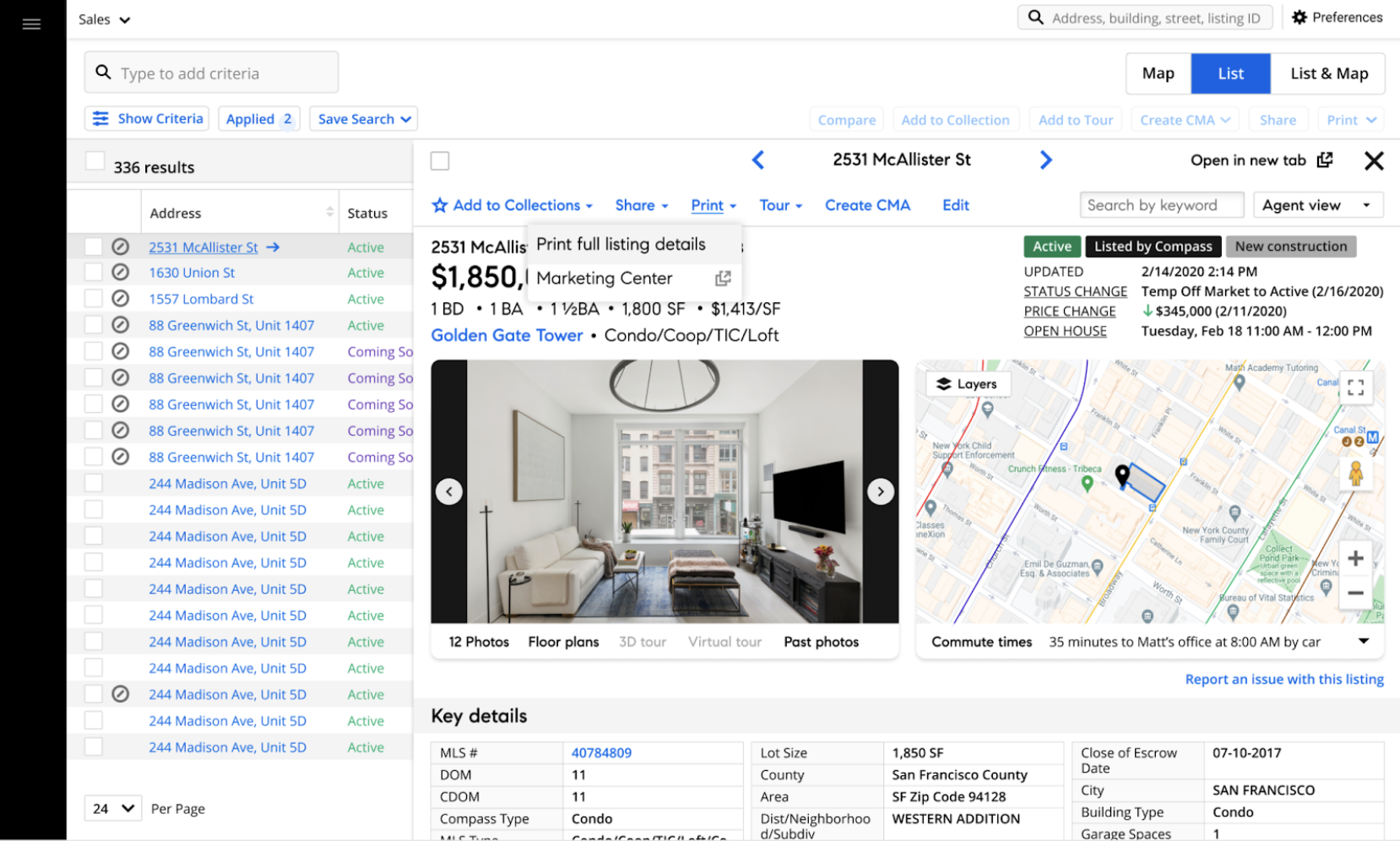
Entry point
We removed the toursheet option from the existing dropdown menu and gave users two options to print. We also revised the copy to be clear about what the new print feature would accomplish
Selecting multiple properties to print from Search
Printing directly from the Listing Page
Template editor / Preview
We optimized the template preview areas to clearly mark and separate properties and templates within each property
Additionally, we cleaned up the customization panel to stay simple and focused on the template selector, and hid the customization buttons behind an expandable toggle
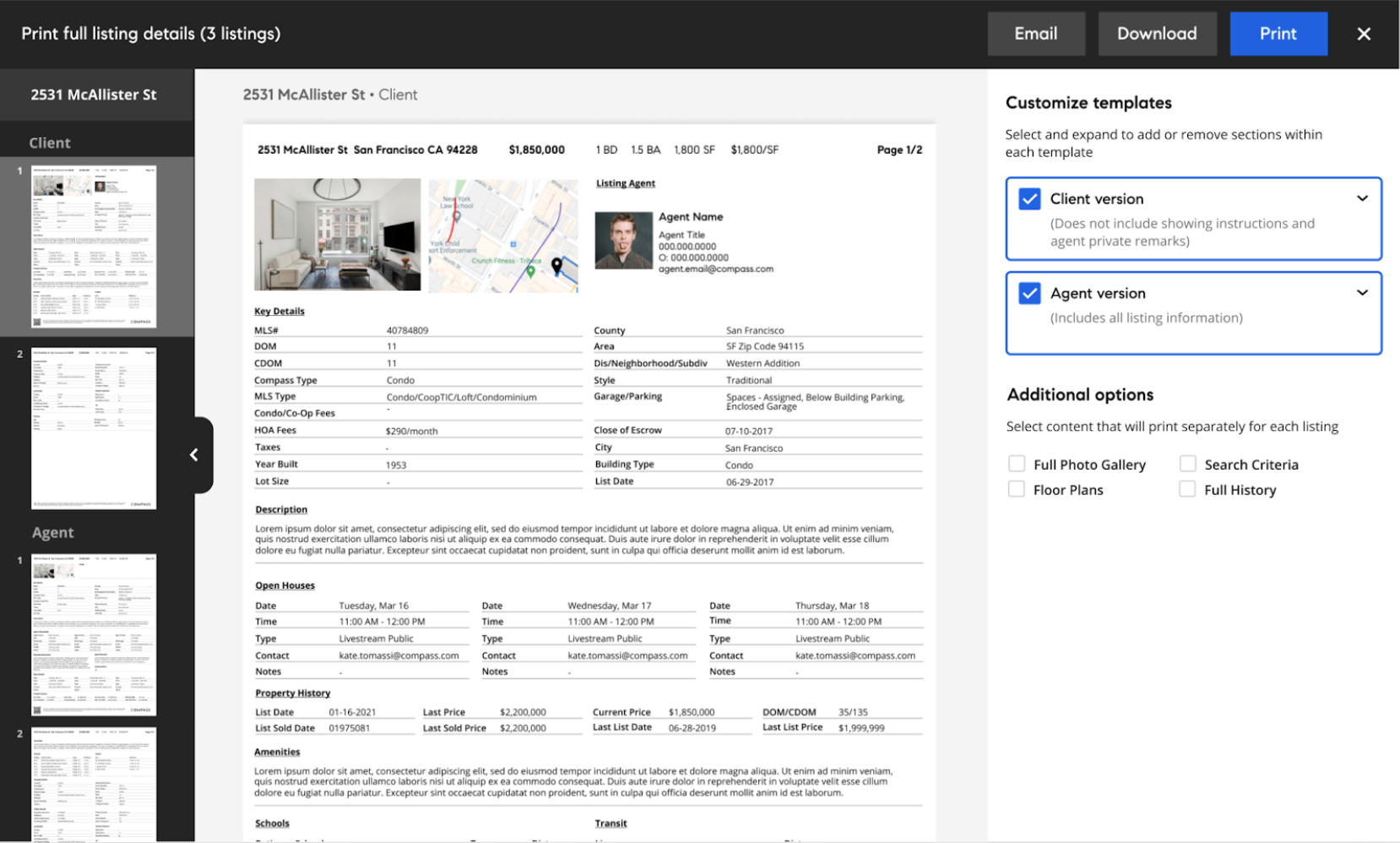
The default preview/view once the agent opens the print modal, with template customization buttons hidden
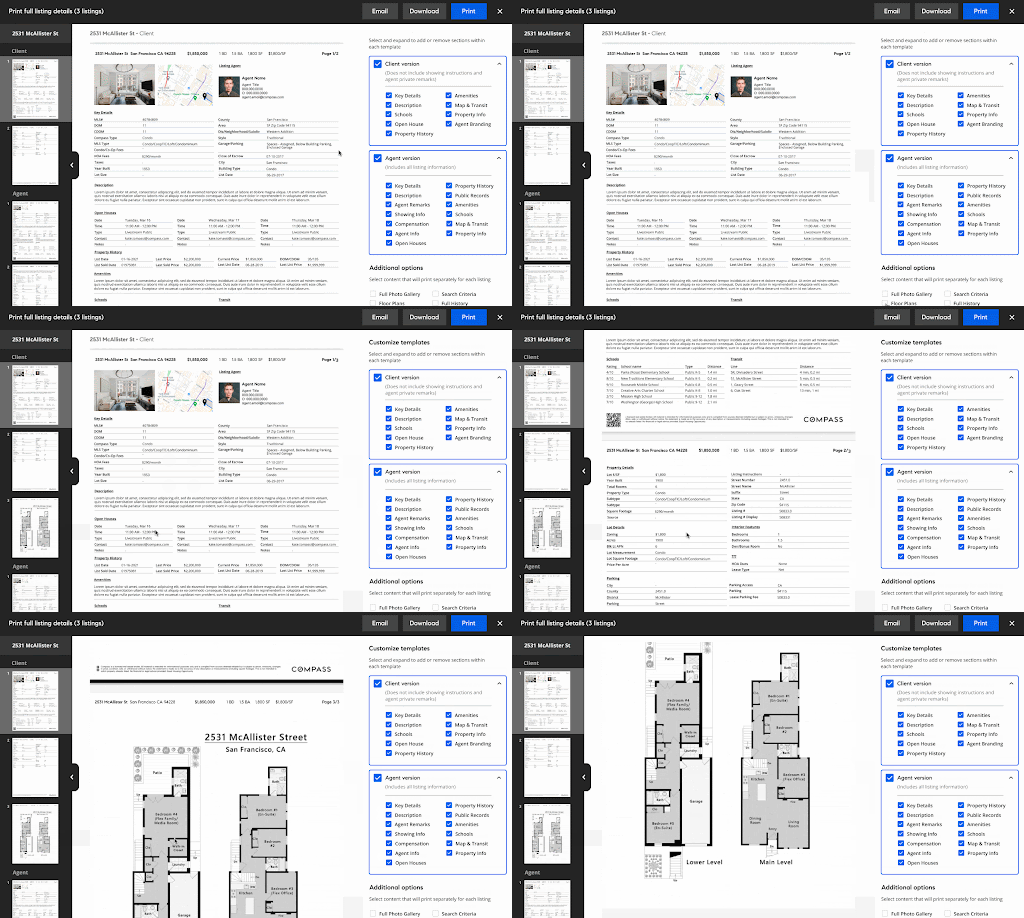
Agents are able to add/remove section blocks and preview how they look on the document in real time
Actions
In addition to printing, agents are also able to download PDFs of their templates to their device, or send them to clients/partners
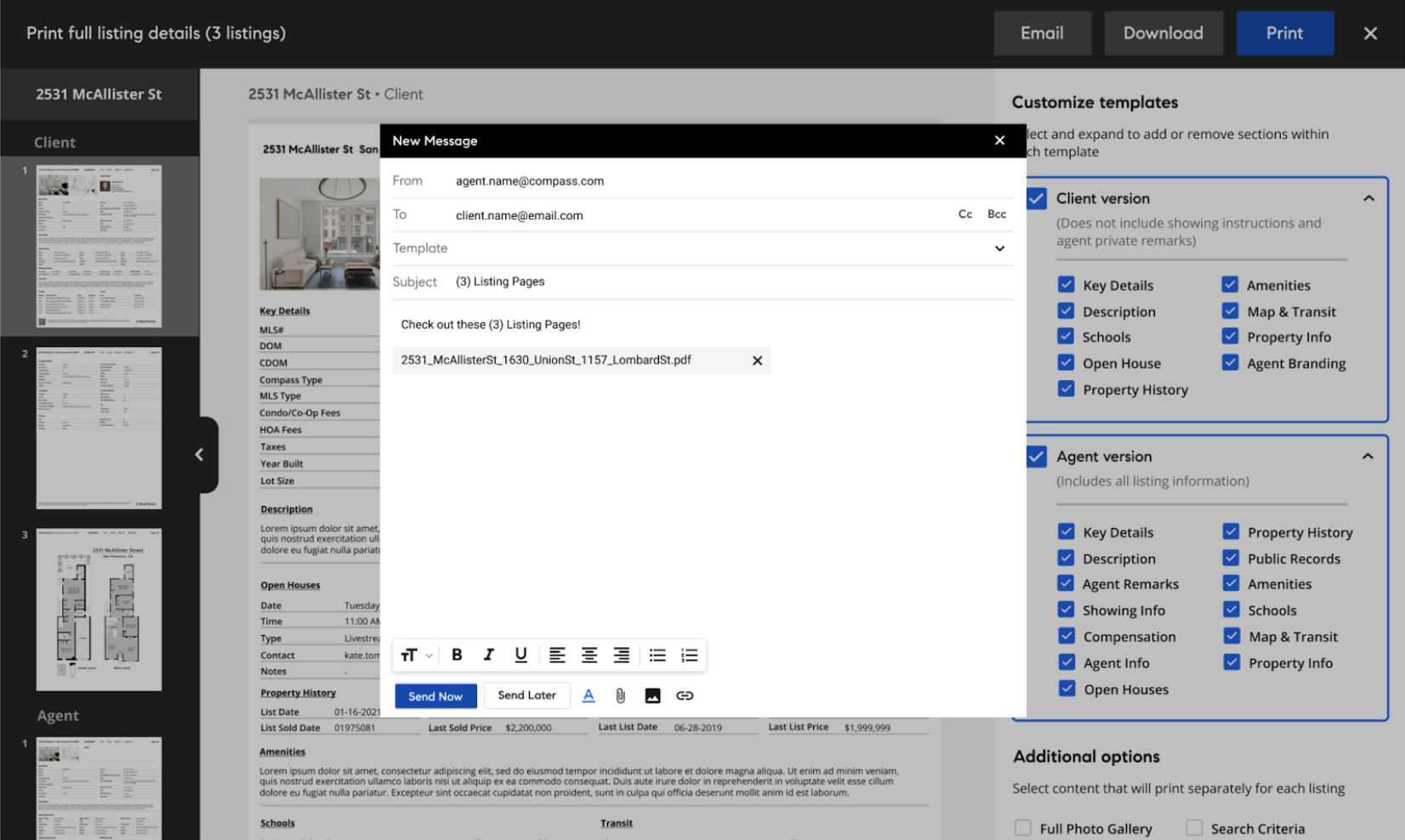
Email / Send
Uses our built-in messaging tool to send documents internally or externally
Download
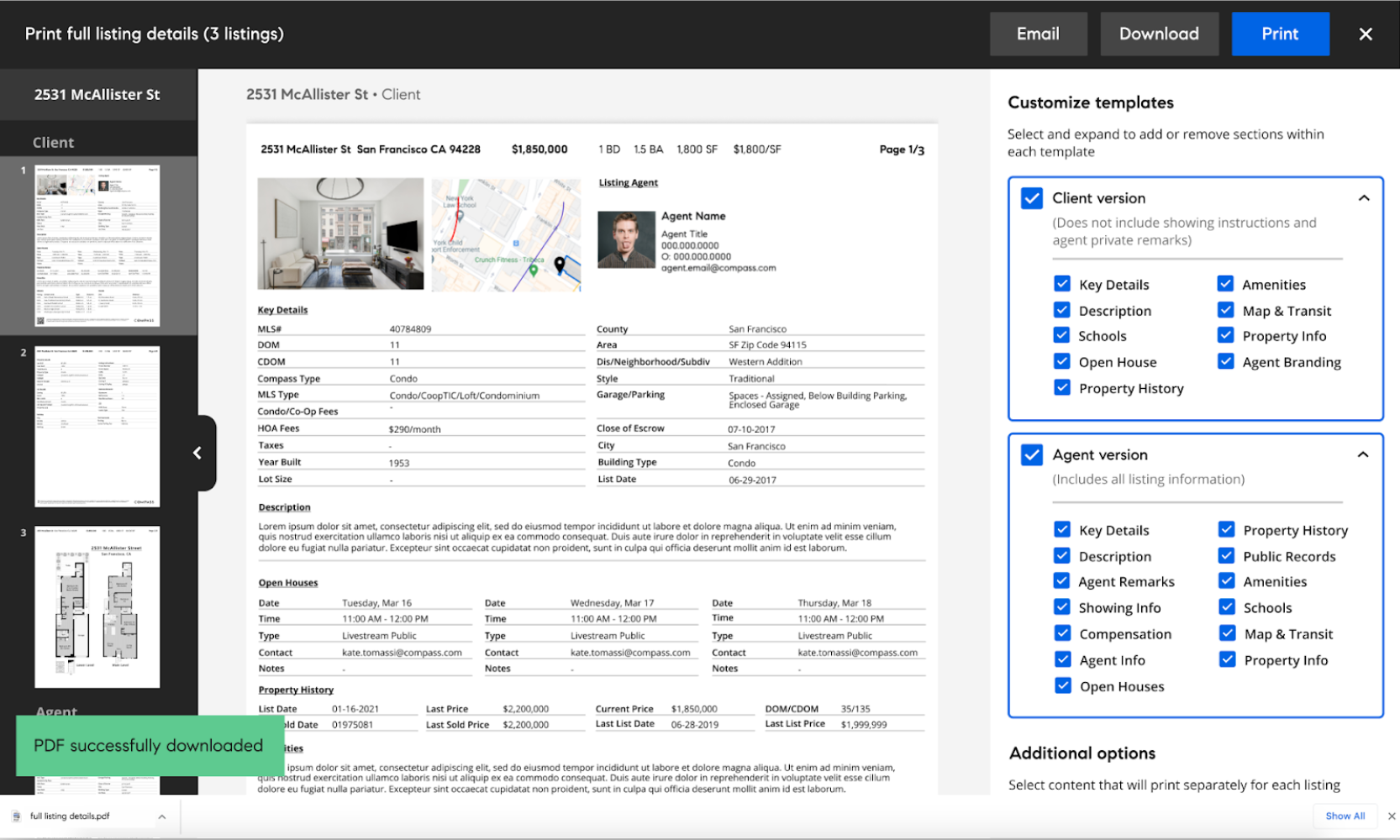
Saves directly to the agent's downloads within the browser
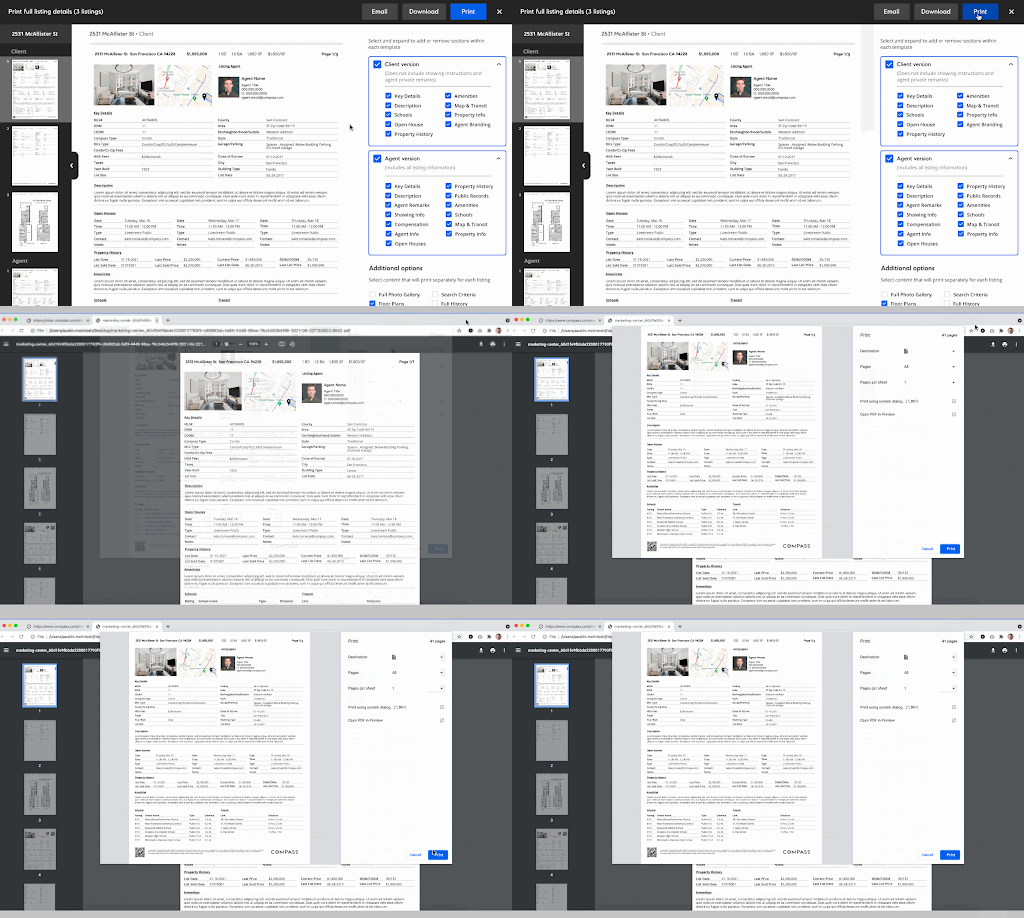
Sends to printer automatically, allowing agents to go from listing page to printed document in 3 clicks
Results
Agent feedback
Usage data
Future versioning
We rolled out the print feature along with our Agent Page Redesign in Q3 of 2021 with universally positive feedback from agents, specifically praising Print for:
1. Allowing agents to print without having to switch to the MLS
2. Allowing for customization on a level that is more advanced than their MLS
3. Providing print templates that are more readable and presentable than those on the MLS.
“I can’t tell you how much easier this makes my job. I was having to keep two windows open, cross referencing addresses from Compass to the MLS, bouncing back and forth. This is just way better, thank you.”
-Sheri, Boston
Since launch, we’ve averaged 500 unique listing page sessions per day, and we’ve seen a steady increase in total page views on agent listing pages (shows increased usage of Compass over MLS)
The next phase for print is to integrate the modal with our Toursheets feature, allowing agents to additionally include photo sheets and driving drections between selected properties